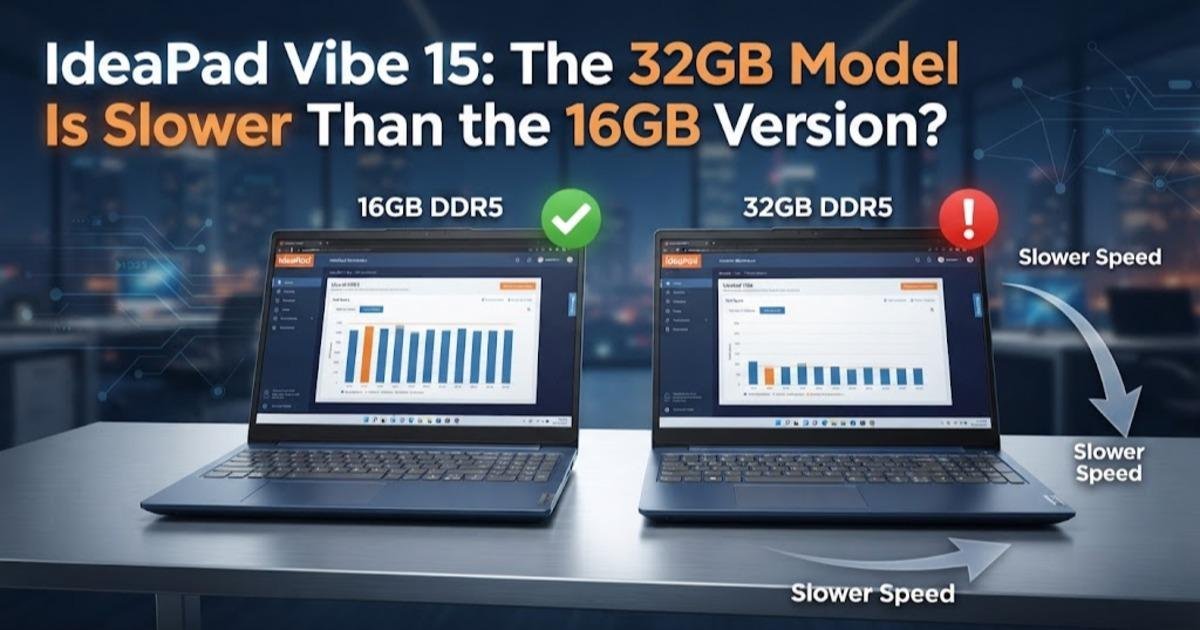
IdeaPad Vibe 15: The 32GB Model Is Slower Than the 16GB Version
The IdeaPad Vibe 15 pairs AMD Ryzen AI processors with a 120Hz OLED option, but its fastest model is capped at 16GB RAM while the slower version reaches 32GB.
On this page
Lenovo's upcoming IdeaPad Vibe 15 has an unusual configuration problem: the version with the faster processor is capped at 16GB of memory, while the slower processor can be paired with up to 32GB. That makes the headline specification easy to misread. The laptop is due in Europe on October 15 and in the United States in November, but the interesting part is not simply its 120Hz OLED option or its $699 starting price. The two processor configurations target different priorities, and choosing the cheaper-looking specification without understanding that split could leave buyers with the wrong machine for their workload.
The IdeaPad Vibe 15 comes in two very different versions
Lenovo has listed two main 15-inch configurations in its Product Specifications Reference database: the IdeaPad Vibe 15AGP12 and 15AKP12. The 15AGP12 uses AMD's Ryzen AI 7 445, while the 15AKP12 uses the Ryzen AI 5 330. Both are laptop processors with integrated graphics and support the same general chassis platform, but they are not simply different performance tiers with identical memory options. Lenovo limits the Ryzen AI 7 version to 16GB of memory, while the Ryzen AI 5 version can be configured with as much as 32GB. Both models also provide two M.2 2242 slots for solid-state storage, so the storage path is considerably more flexible than the memory path.
That distinction matters because system memory and processor performance solve different problems. Memory capacity determines how much working data a computer can keep readily available across applications, while the processor determines how quickly many of those workloads can be executed. A user editing large documents, keeping dozens of browser tabs open and running development tools at the same time may benefit more from 32GB than from a faster processor that is paired with 16GB. Someone compiling code, processing media or running other CPU-heavy workloads may prefer the Ryzen AI 7 445 even though the maximum memory is lower.
The faster Ryzen AI 7 version gives up the 32GB option
The performance difference is not merely a naming exercise. Independent Notebookcheck testing found the Ryzen AI 7 445 configuration roughly 29 percent ahead of the Ryzen AI 5 330 in its CPU workloads, although that figure comes from the publication's own benchmark testing rather than a universal performance guarantee. The Ryzen AI 7 445 also uses Radeon 840M integrated graphics, while the Ryzen AI 5 330 uses Radeon 820M. In other words, the 15AGP12 is the performance-oriented configuration, but Lenovo has paired that faster silicon with a 16GB memory ceiling.
The practical consequence is that there is no single specification that is simply "the best" IdeaPad Vibe 15. The 15AGP12 makes more sense when processor and integrated graphics performance are the priority, while the 15AKP12 becomes more attractive for workloads where memory capacity matters. This is especially relevant because neither configuration offers a straightforward way to buy the faster processor and then compensate for its memory limit later. The two M.2 storage slots can help with storage expansion, but they do not change the RAM ceiling.
The OLED screen is the more interesting display option
Both processor variants can be configured with a 15-inch display, but the panel choices differ depending on the exact configuration. Lenovo's specifications include a 2,160 by 1,352 OLED panel running at 120Hz, alongside IPS alternatives. The OLED option is rated at up to 500 nits, while the IPS choices are rated at 400 nits. A 120Hz refresh rate means the screen can update twice as often as a conventional 60Hz panel, which makes scrolling, animations and supported games appear smoother rather than directly making the processor faster.
The display choice therefore changes the character of the laptop more than the model name suggests. The OLED version should be the more appealing configuration for users who care about contrast, color and smoother motion, while the IPS alternatives can make sense when battery life, price or a specific configuration matters more. The Ryzen AI 7 model is particularly unusual because Lenovo pairs its faster processor with a 1200p 120Hz IPS option rather than making every display available across every configuration. Buyers should therefore check the exact machine type rather than assuming that every IdeaPad Vibe 15 listing contains the same screen.
Battery life looks strong, but Lenovo's test conditions matter
Lenovo's listed configurations can use either a 50Wh or 65Wh battery. For the 65Wh version, Lenovo's testing indicates up to 21.9 hours of local 1080p video playback at 150 nits, while MobileMark 30 testing at 250 nits is rated at 12.4 hours. Those figures are useful for comparing configurations, but they should not be read as a promise that the laptop will deliver nearly 22 hours during ordinary mixed use. Video playback is a relatively controlled workload, while compiling software, running virtual machines, gaming or sustained processor workloads can consume power much faster.
The 65Wh option is consequently worth paying attention to if portability is the reason for buying the 15-inch model. A larger battery adds weight and cost, but it also gives the machine more energy to work with away from a charger. For someone who mostly works at a desk, the smaller battery may be perfectly reasonable. For a student or mobile worker carrying the laptop between classes, offices and travel locations, the larger battery is the more consequential upgrade than a modest specification difference elsewhere.
Ports make the Vibe 15 easier to use as a main PC
Lenovo has not reduced the IdeaPad Vibe 15 to a thin laptop with only USB-C ports. The listed connectivity includes two USB-A ports, two USB-C ports, HDMI 1.4, a microSD card reader and a 3.5mm headphone and microphone combination jack. The USB-C ports support DisplayPort 1.2 and USB Power Delivery, with the listed power-delivery capability ranging from 65W to 100W depending on configuration. That combination is useful for people who still connect older USB accessories, cameras, external displays or wired audio without carrying a collection of adapters.
The trade-off is that the listed USB ports operate at 5Gbps, so this is not positioned as a high-speed workstation-class connectivity platform. That distinction matters if the laptop will regularly move large video projects or other datasets between external storage and the computer. For ordinary peripherals, displays and removable storage, however, the port selection is considerably more practical than an ultraportable that depends almost entirely on USB-C hubs.
The $699 starting price does not tell the whole story
Lenovo has indicated that the IdeaPad Vibe series will start at $699, but the complete pricing for individual configurations has not been published. That means the headline price should not be treated as the cost of the Ryzen AI 7, 120Hz OLED, 65Wh battery and 16GB configuration all together. The European launch is scheduled for October 15, while the U.S. arrival is expected in November, so final retail configurations and prices may vary by market.
This is also why comparing the Vibe 15 solely by starting price would miss its most important trade-off. The cheapest configuration may have a very different processor, memory capacity, display and battery from the version a buyer actually wants. Until Lenovo publishes complete retail configurations, the useful comparison is between the hardware combinations rather than the $699 number printed beside the product family.
Which IdeaPad Vibe 15 configuration makes the most sense?
The Ryzen AI 7 445 model is the logical choice for users who value processor and integrated graphics performance first. Independent testing gives it a meaningful CPU advantage over the Ryzen AI 5 330, and its Radeon 840M graphics are also ahead of the Radeon 820M. The 16GB ceiling is the price of that performance advantage, and for conventional office work, web development and everyday productivity it may be entirely adequate. The calculation changes for workloads that routinely consume large amounts of memory.
The Ryzen AI 5 330 version is the more interesting choice for buyers who specifically want 32GB of RAM. That extra capacity can be more useful than a faster processor when the workload involves heavy multitasking, large browser sessions, development environments or applications that keep substantial datasets in memory. The slower processor does not make the 15AKP12 a poor laptop; it simply makes it a different compromise. The unusual part of Lenovo's lineup is that the machine with the larger memory ceiling is not the machine with the faster CPU.
The real buying decision is performance versus headroom
The IdeaPad Vibe 15 is shaping up as a laptop where the configuration sheet deserves more attention than the family name. The Ryzen AI 7 445 version offers the stronger processor and integrated graphics combination, but 16GB is its ceiling; the Ryzen AI 5 330 version sacrifices CPU performance in exchange for access to 32GB of memory. Both can offer a 120Hz OLED display and a 65Wh battery depending on configuration, while the two M.2 slots provide useful storage flexibility.
That makes the October 15 European launch the date to watch rather than the $699 starting figure alone. Once Lenovo exposes the actual retail configurations, the important question will be how much extra the 65Wh battery, OLED display and higher memory capacity cost in each market. Until then, the safest assumption is that the IdeaPad Vibe 15 is not one laptop with a simple good-better-best ladder. It is two different compromises sharing the same name, and the right one depends on whether the buyer needs more processing power now or more memory headroom later.
Written by