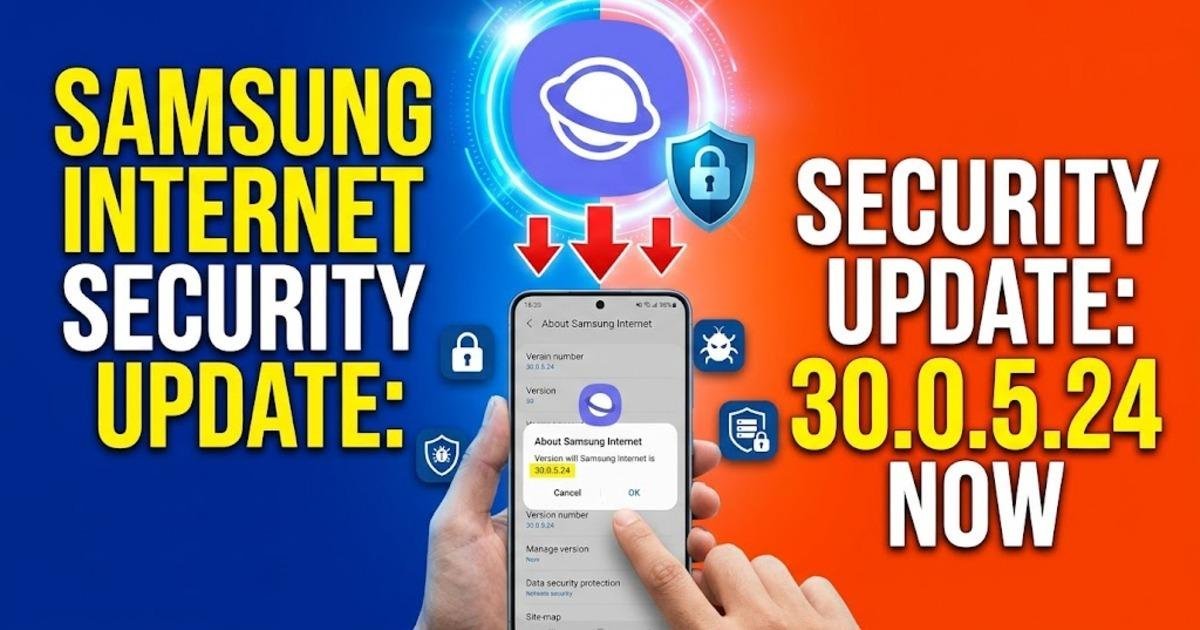
Samsung Internet Security Update: Check Version 30.0.5.24 Now
Samsung Internet version 30.0.5.24 fixes a high-severity script-injection vulnerability. Learn how to check your Galaxy browser version, install the update and understand Samsung's October 2026 security advisory.
On this page
Samsung Internet users have a specific security fix to check for: version 30.0.5.24 addresses a vulnerability that could allow an attacker to inject malicious scripts through the browser. Samsung documented the flaw in its October 2026 security updates, and CyberSecurity Malaysia issued a public advisory about the risks on October 21. The practical question for Galaxy owners is whether their browser is running a vulnerable version and how to update it without waiting for a full phone software upgrade.
Samsung Internet version 30.0.5.24 fixes a browser security flaw
Samsung identifies the vulnerability as CVE-2026-21132, a tracking number used to identify a particular security issue. Its October security records describe improper input validation in Samsung Internet versions earlier than 30.0.5.24. Input validation is the process of checking information before software acts on it; when those checks are inadequate, specially crafted input can cause the program to behave in an unintended way.
Samsung classifies the issue as high severity and says it could permit remote attackers to inject arbitrary scripts. The US National Vulnerability Database also records the flaw and specifies that user interaction is required to trigger it. That qualification matters: the published description does not say that simply having an affected browser installed is enough for an attacker to compromise a phone. It does mean users should not treat the absence of obvious symptoms as evidence that their browser is safe.
Why the Samsung Internet flaw matters to Galaxy phone owners
A script is a small piece of code that a browser can execute to make a web page interactive. Malicious script injection can undermine the security of a browsing session, depending on the circumstances and the privileges available to the code. The vulnerability description does not establish that every affected device has been compromised, nor does it demonstrate that attackers are actively exploiting the issue in the wild. The reason to act is that Samsung has identified a vulnerable version and documented a corrected one.
CyberSecurity Malaysia's October 21 advisory places the browser flaw within a broader set of security problems addressed by Samsung's October maintenance release. Its warning covers potential outcomes including unauthorised access to information and execution of malicious code. Those are possible consequences of the vulnerabilities described in the advisory, not proof that each outcome has occurred on Galaxy devices. For people who use their phones for email, shopping, work accounts or financial services, keeping the browser patched is a sensible precaution.
Check your Samsung Internet version before updating
You do not need to identify the vulnerability manually. Open Samsung Internet on your Galaxy phone, enter its settings and look for the browser's About Samsung Internet section, where the installed version is displayed. Compare that number with Samsung's documented fixed version, 30.0.5.24. If your installed version is older, check for an update rather than assuming that your phone's latest Android security patch has automatically updated the browser.
Samsung distributes browser application updates separately from some operating-system updates. That distinction matters because a phone can have a relatively recent Android security patch while an individual application still needs its own update. Conversely, the availability of a fixed browser version does not guarantee that every device or region has received it at the same time. Samsung notes that security-update delivery varies according to the device, model, region and software version.
Install the browser update through the appropriate app store
On a Galaxy phone, open the Galaxy Store and check its updates section for Samsung Internet. If the browser was installed or is managed through Google Play on your device, check the Play Store as well. Select the available Samsung Internet update and allow installation to finish before checking the version number again. The important result is confirmation that the installed browser has reached version 30.0.5.24 or a later version that includes the fix.
If no update appears, do not download an application package from an unfamiliar website just to obtain a newer version. Check again later, confirm that the correct Samsung account and regional store are being used, and consult Samsung support if the fixed version remains unavailable. An unofficial download can introduce a separate security risk, particularly when it replaces an application that handles sensitive browsing sessions. You can also review the phone's software-update settings, but an operating-system update and a browser update are separate checks.
Samsung's October security release fixes more than one problem
The browser vulnerability is only one item in Samsung's October 2026 security maintenance release. Samsung's bulletin, published on October 6, lists fixes from Google alongside Samsung-specific security patches. CyberSecurity Malaysia's October 21 advisory reports that the release addresses nine critical, 33 high and three moderate Android vulnerabilities, as well as 27 Samsung-specific vulnerabilities. These figures describe the issues covered by the advisory, not the number of flaws that affect every Galaxy model equally.
Android security fixes are distributed through manufacturers, so the date of Google's monthly bulletin does not necessarily match the day a particular Samsung phone receives its update. Google published its October Android Security Bulletin on October 5, with security patch levels dated October 1 and October 5. Samsung's own release notes explain that delivery can vary by region and model, and that some device-specific patches may arrive in later packages. Owners should therefore check the actual security patch date on their handset rather than relying on a headline about the monthly rollout.
What to do if your Galaxy phone has not received the fix
First, establish two separate facts: the version of Samsung Internet installed and the security patch level shown in the phone's software information. Next, install any available browser update and check the system's software-update menu for pending maintenance releases. If the browser remains below version 30.0.5.24 and no update is offered, contact Samsung support for guidance on availability for your specific model and region. Until the fix is available, avoid suspicious links, unexpected downloads and websites that ask you to take unfamiliar actions.
There is no need to factory-reset a phone simply because its browser version is outdated, and a reset is not a substitute for installing the corrected software. If you suspect that an account has been compromised, deal with the account separately by using a trusted device to change its password and review recent activity. For now, the clearest action is to verify Samsung Internet's version directly and check again after the next application-store refresh if the update has not arrived.
Share this post