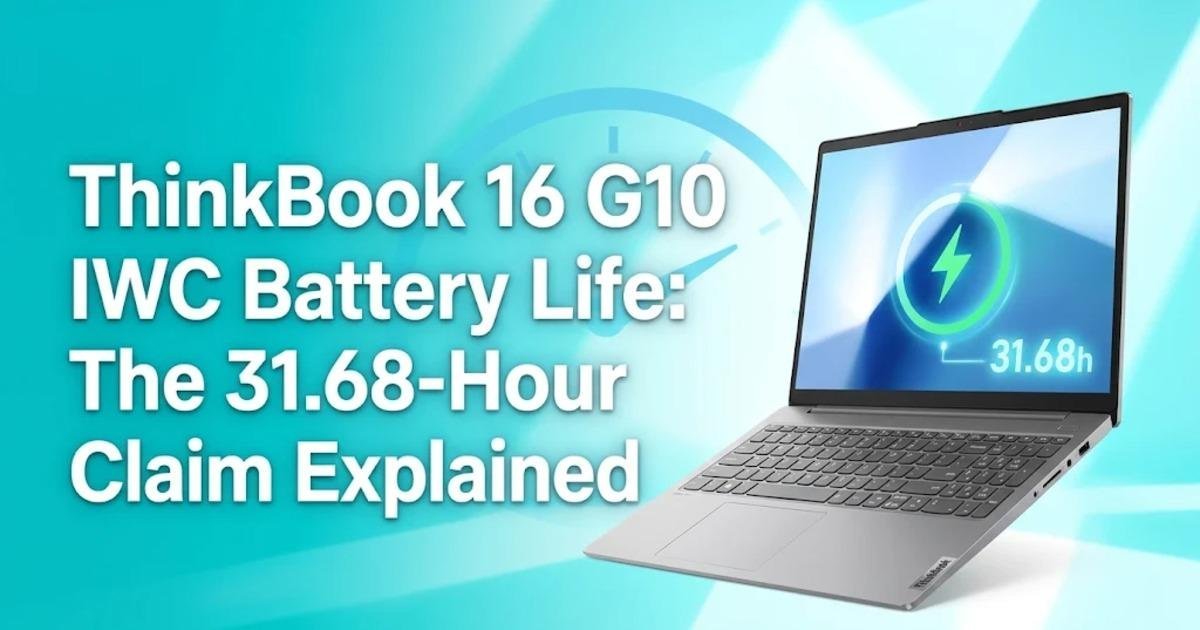
ThinkBook 16 G10 IWC Battery Life: The 31.68-Hour Claim Explained
Lenovo's ThinkBook 16 G10 IWC advertises up to 31.68 hours of video playback, but that figure requires the 84Wh battery. Here is how its configurations, processors and display options compare.
On this page
A laptop rated for more than 31 hours of video playback sounds like an easy recommendation for people who work away from a power outlet. Lenovo's ThinkBook 16 G10 IWC, the tenth-generation Intel-based version of its 16-inch business laptop, puts that figure on its specification sheet, which Lenovo updated on November 13, 2026. The model was reported as launched on November 10, 2026. However, the headline battery figure belongs to a particular configuration, and the smaller-battery version delivers a considerably different result. The distinction matters because buyers could end up comparing two machines carrying the same product name but offering very different endurance.
The 31-hour figure depends on which battery you choose
Lenovo lists two battery capacities for the ThinkBook 16 G10 IWC: 50 watt-hours (Wh) and 84Wh. The difference is more than a minor configuration choice. According to Lenovo's Product Specifications Reference (PSREF), the 50Wh version reaches up to 22.11 hours of local 1080p video playback, while the 84Wh configuration reaches 31.68 hours under the same stated test conditions.
Both figures use locally stored video at 150 nits of display brightness. That is a controlled playback scenario, rather than a measurement of someone spending a full working day switching between a browser, spreadsheets, video meetings and development tools. The larger battery therefore provides a useful indication of the laptop's potential endurance, but it does not establish how long a typical office workload will last.
The difference also reveals something about the product's positioning. Lenovo is offering buyers a choice between a lighter-capacity power configuration and a larger battery intended for longer periods away from a charger. The 84Wh battery is 68% larger than the 50Wh option, while its stated video playback time is approximately 43% higher. Battery capacity and runtime do not scale in a perfectly linear fashion, because system power consumption and other hardware characteristics also influence endurance.

The test conditions matter more than the headline
Lenovo's figures come from its published battery testing rather than an independent endurance review. Its documentation identifies MobileMark 30, local video playback and PCMark 10 as measurement methods, depending on the configuration and result being reported. These tests represent different usage patterns, so their results should not be treated as interchangeable. Local video playback primarily measures how long the computer can continue playing stored media, while productivity benchmarks introduce a different workload.
The 84Wh configuration also has a separate MobileMark 30 result of 18.51 hours at 250 nits. That number is particularly useful because it provides a productivity-oriented reference alongside the 31.68-hour video figure. The smaller 50Wh configuration reaches 11.13 hours in the same MobileMark 30 test. Neither result guarantees a particular working day, but both provide a more realistic starting point for comparing the configurations than relying exclusively on the longest advertised figure.
Display brightness is another important condition. A laptop running at 150 nits consumes power differently from one running at a brighter setting, particularly when the display is used for extended periods. Wireless activity, background applications, processor demand and power-management settings can also change the result. Lenovo itself describes its battery figures as approximate maximums and warns that actual endurance varies with configuration and usage.
Intel's Wildcat Lake processors bring an efficiency-focused configuration
The ThinkBook 16 G10 IWC uses Intel Core Series 3 mobile processors based on Intel's Wildcat Lake platform. Available processor options listed by Lenovo include the Core 3 304, Core 5 320, Core 5 330 and Core 7 350. The top Core 7 350 has six cores, consisting of two performance cores and four low-power efficient cores, with a maximum turbo frequency of 4.8GHz. The Core 5 320 also has six cores, but its maximum turbo frequency reaches 4.6GHz.
The processor selection matters because buyers are not choosing between identical configurations with different battery capacities alone. Processor performance, background workload and power-management behaviour all contribute to total energy consumption. Intel specifies a 15W processor base power and a maximum turbo power of 35W for the Core 7 350. Those figures describe the processor's power specifications, not a measurement of the complete laptop's everyday electricity consumption.
There is also an artificial intelligence component. The Core 7 350 includes a Neural Processing Unit (NPU), a dedicated processor designed to accelerate certain artificial intelligence workloads, rated at up to 17 trillion operations per second (TOPS). The Core 5 320 is rated at up to 16 NPU TOPS. These figures describe theoretical processing capability, not the speed of every artificial intelligence application.
Lenovo lists up to 32GB of DDR5-5600 memory and up to 1TB of PCIe 4.0 solid-state storage. The system has one memory slot, making its memory configuration an important purchasing decision. Buyers who expect to keep multiple development environments, virtual machines or large creative applications open should pay attention to the memory installed in their chosen configuration rather than assuming that the processor's capabilities determine the laptop's maximum supported memory.
The display options could change the buying decision
Lenovo offers several display configurations, and the differences extend beyond resolution. The basic option is a 16-inch WUXGA panel, meaning a resolution of 1920 by 1200 pixels, with 400 nits of brightness and a 60Hz refresh rate. Its listed colour coverage is 45% of the NTSC colour space. This is a relatively modest option for users who spend much of their time working with photographs, colour-sensitive graphics or video.
Other configurations offer a 1920 by 1200 IPS display with a 120Hz refresh rate and full 100% sRGB colour coverage. There is also a higher-resolution 2560 by 1600 option with 500 nits of brightness and a 120Hz refresh rate. The higher specifications provide a more attractive proposition for users who need additional workspace, smoother motion and more accurate colour reproduction.
However, the presence of these options does not mean every retail configuration includes the better panel. Lenovo's specification reference explicitly warns that some features are available only on selected models and may differ between markets. Anyone ordering the laptop should verify the exact display, battery and memory configuration rather than relying on the general product-family description.

How much has changed from the previous ThinkBook generation?
Comparing the new laptop with the ThinkBook 16 G9 IPL provides a useful indication of the battery development. Lenovo's previous-generation specification lists a 71Wh battery configuration with up to 26 hours of local 1080p video playback at 150 nits. The new G10 IWC's 84Wh configuration reaches 31.68 hours under the same stated video playback conditions. That represents an increase of approximately 22% in Lenovo's published maximum playback figure.
However, the new battery is also approximately 18% larger than the previous 71Wh option. The comparison therefore does not establish that the new processor platform alone delivers a 22% improvement in energy efficiency. Battery capacity, processor architecture and other system components all contribute to the result. A fair processor-efficiency comparison would require equivalent hardware configurations and independently controlled workloads.
The new model also changes the memory arrangement. The G9 IPL specification describes two DDR5 SODIMM slots and support for dual-channel memory, whereas the G10 IWC specification lists a single DDR5 SODIMM slot and up to 32GB of memory. That is a meaningful trade-off for buyers who value memory expansion or higher memory bandwidth. The newer generation is not automatically better in every area simply because its maximum battery specification is higher.
What the battery and AI specifications do not promise
The ThinkBook 16 G10 IWC is not a guarantee of 31 hours of ordinary office work. Its longest published result comes from local video playback with a specific brightness setting and an 84Wh battery. Heavy multitasking, sustained processor workloads and frequent video conferencing can produce substantially different results. Lenovo has not established an independent real-world endurance figure for every combination of processor, display and battery.
Its artificial intelligence specifications also need context. The Core 7 350's 17 NPU TOPS do not make this laptop equivalent to higher-performance AI workstations, and they do not establish compatibility with every local AI model. Lenovo lists integrated Intel Graphics rather than a dedicated discrete graphics processor, so buyers interested in demanding 3D rendering, professional video production or graphics-intensive gaming should consider a different hardware class.
Pricing and regional availability are additional uncertainties. Lenovo's published specifications establish the available hardware options, but they do not establish a universal retail price for every country. The final configuration offered by a retailer may also differ from the maximum specifications shown in the product reference. Buyers should request the exact machine-type model number and verify its included components before paying.
What buyers should check before ordering
The ThinkBook 16 G10 IWC makes the most sense for people who want a large-screen business laptop with modern connectivity, expandable memory and a choice of battery capacities. The 84Wh version is the more interesting option for frequent travellers, while the 50Wh version may suit users who spend most of their working time near a charger. For professional design work, the 100% sRGB or 2.5K display options deserve closer attention than the basic panel.
Its two USB-C ports support USB 20Gbps, Power Delivery and DisplayPort 1.4, while HDMI 2.1, Ethernet, USB-A and an SD card reader provide additional connectivity. This makes the machine practical for conventional office and multi-display setups, although buyers should check docking requirements and monitor capabilities before selecting accessories.
The next useful evidence will come from independent battery testing across the 50Wh and 84Wh configurations, especially with the higher-refresh-rate displays. Until those comparisons are available, the 31.68-hour figure should be treated as a laboratory maximum rather than a promise of a three-day working laptop. The battery capacity printed on the exact retail configuration is the first specification worth checking.
Share this post

Written by