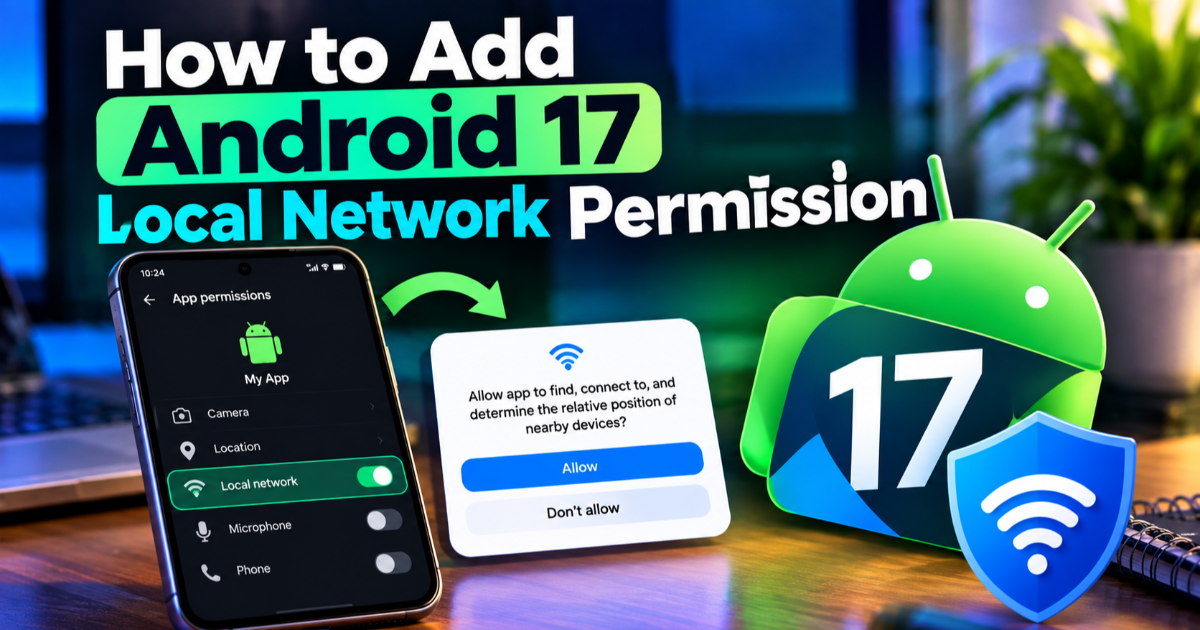
How to Add Android 17 Local Network Permission
Android 17 adds ACCESS_LOCAL_NETWORK for apps that directly communicate with LAN devices. Learn how to declare, request, test, and handle the new permission.
On this page
An Android app that talks directly to devices on the same Wi-Fi network can stop working as soon as it targets Android 17 unless its local network access is handled correctly. Android 17, API level 37, introduces ACCESS_LOCAL_NETWORK for apps that need direct communication with local devices, while system-mediated device pickers can avoid the permission prompt for supported use cases. This tutorial shows how to declare the permission, request it at runtime, handle denial, and test an app before shipping.
Check whether your app actually needs local network access
Start by identifying whether the app communicates with another device on the local area network (LAN), meaning the network shared by devices such as a phone, television, printer, camera, or smart-home accessory. Direct TCP and UDP connections, multicast or broadcast traffic, and service discovery can all depend on local network access. Android's networking restrictions apply below the application library layer, so changing from one networking library to another does not automatically bypass the requirement.
Apps that only communicate with internet servers do not need this permission simply because they use Wi-Fi. The important distinction is the destination: a connection to a device on the local network is different from a connection to a public internet service. If your app discovers devices with Network Service Discovery (NSD), communicates with a local IP address, or uses a library that does so underneath, inspect that code before targeting Android 17.
Understand what changes when you target Android 17
For apps targeting Android 17 or higher, local network access is no longer implicitly granted through the normal INTERNET permission. The new ACCESS_LOCAL_NETWORK permission belongs to the existing NEARBY_DEVICES permission group and protects communication with local devices. Google introduced this change because unrestricted local-network access can be abused for device discovery, fingerprinting, and other forms of tracking.
Apps targeting Android 16 or lower continue to receive implicit local network access through INTERNET. That means you should not add or request ACCESS_LOCAL_NETWORK merely because an older application uses a local connection. The new permission becomes relevant when your application targets API level 37 or higher.
Add ACCESS_LOCAL_NETWORK to the manifest
Once you have confirmed that the application requires direct local network communication, declare the permission in AndroidManifest.xml. Add it alongside the other permissions used by the application:
```


```
The manifest declaration tells Android that the application may request local network access, but it does not by itself grant that access. Your application still needs to check the permission and request it at runtime before performing the operation that needs it.
Request the permission before opening the local connection
The runtime request should happen before the first operation that requires local network access. Do not wait for a socket operation to fail and then show a permission dialog with no explanation. Instead, connect the permission request to the feature the user is actively trying to use, such as discovering a printer or connecting to a smart display.
With Android's modern activity result APIs, the basic Kotlin pattern is:
private val requestLocalNetwork =
registerForActivityResult(
ActivityResultContracts.RequestPermission()
) { granted ->
if (granted) {
connectToLocalDevice()
} else {
showLocalNetworkDeniedMessage()
}
}

private fun requestLocalNetworkAccess() {
requestLocalNetwork.launch(
Manifest.permission.ACCESS_LOCAL_NETWORK
)
}
The important part is the result callback. A true result means the application can continue with its local-network operation, while a false result means the feature must handle the lack of access rather than assuming the connection will work.
Check the permission before requesting it
A production application should check the current state before displaying a request. Users can grant the permission, deny it, or later revoke it from system settings. The app should therefore treat permission state as something that can change rather than something established permanently during first launch.
private fun hasLocalNetworkAccess(): Boolean {
return ContextCompat.checkSelfPermission(
this,
Manifest.permission.ACCESS_LOCAL_NETWORK
) == PackageManager.PERMISSION_GRANTED
}

private fun startLocalDeviceConnection() {
if (hasLocalNetworkAccess()) {
connectToLocalDevice()
return
}

```
requestLocalNetworkAccess()
```

}
This creates a simple flow: check first, request only when necessary, and start the network operation only after permission has been granted. It also makes the same function safe to call when the user returns to the feature after changing permissions.
Handle denial without breaking the rest of the app
Local network access may be optional to the application as a whole even when it is essential to one feature. A user might still be able to browse content, edit settings, or use cloud services after denying permission to discover a device on the local network. Your UI should therefore explain what feature is unavailable instead of treating denial as an application-wide failure.
private fun showLocalNetworkDeniedMessage() {
Toast.makeText(
this,
"Local network access is required to find nearby devices.",
Toast.LENGTH_LONG
).show()
}
If the user has permanently denied the permission or later revoked it, provide a clear route back to the relevant application settings rather than repeatedly triggering a request that cannot succeed. The exact user experience should match the importance of the local-device feature, but the principle is the same: a permission denial should be an expected application state.
Use a system picker when you do not need broad access
Requesting ACCESS_LOCAL_NETWORK is not the only Android 17 option. Google recommends system-mediated, privacy-preserving device pickers where they provide the functionality your app needs. A picker lets the user select a device through a system-controlled flow, which can avoid giving the application broad access to the local network.
This distinction matters for privacy. If an application only needs the user to choose one compatible device, broad network discovery may give it more information than necessary. If the application needs persistent communication with multiple local devices or performs its own discovery protocol, the explicit permission may be appropriate. Choose the narrower mechanism when it can provide the same user experience.
Test direct sockets and device discovery separately
Do not test only the screen that starts your local-device feature. Test the actual network operations underneath it. Android's local network restrictions can affect outgoing and incoming local traffic, including TCP, UDP, multicast, broadcast, and service discovery, so an application can appear functional until it reaches a specific network operation.
For an app that discovers a printer through NSD and then opens a TCP connection, test both stages. First verify that discovery succeeds with the expected permission state, then verify that the subsequent connection succeeds. If the app uses a third-party networking library, repeat the test through that library because local network enforcement applies below the library itself.
Test the Android 17 target before release
After adding the permission and runtime flow, test the application with targetSdk set to 37. This is the target that activates the Android 17 local network requirement. Do not rely only on a device where the permission was previously granted, because an existing permission state can hide the missing-request path.
android {
defaultConfig {
targetSdk 37
}
}
Run at least three scenarios: permission granted, permission denied, and permission later revoked in system settings. Also test a clean installation so you can see the first-run permission flow. For local device discovery, use an actual device on the same network or an appropriate emulator setup rather than testing only against a public internet endpoint.
Know which existing apps are most exposed
The migration is particularly relevant to applications built around local devices. Smart-home controllers, printer apps, casting tools, media applications, network utilities, development tools, and companion-device software are more likely to make direct LAN requests than ordinary cloud-connected applications.
There is also a subtle dependency problem: an app may never mention a local IP address in its own code but still perform local communication through a library. Search the project for socket APIs, Network Service Discovery, multicast or broadcast operations, and libraries that communicate with local devices. Then exercise those features under an Android 17 target instead of assuming that an existing INTERNET declaration is enough.
Android 17 turns local-network access into an explicit privacy decision for applications targeting API level 37 and above. The safest migration is not simply to add a permission and move on: first determine whether broad access is necessary, prefer a system-mediated picker when it fits the feature, and request ACCESS_LOCAL_NETWORK only when direct LAN communication is genuinely required. Once the app handles grant, denial, revocation, and real device communication as separate test cases, the Android 17 change becomes a manageable part of the application's normal permission architecture.

Written by