Galaxy SmartTag3 Place Notification: How to Set It Up
Galaxy SmartTag3 adds Place Notification, movement alerts, location history and improved nearby finding. Here is how the new tracking features work and where their limits matter.
On this page
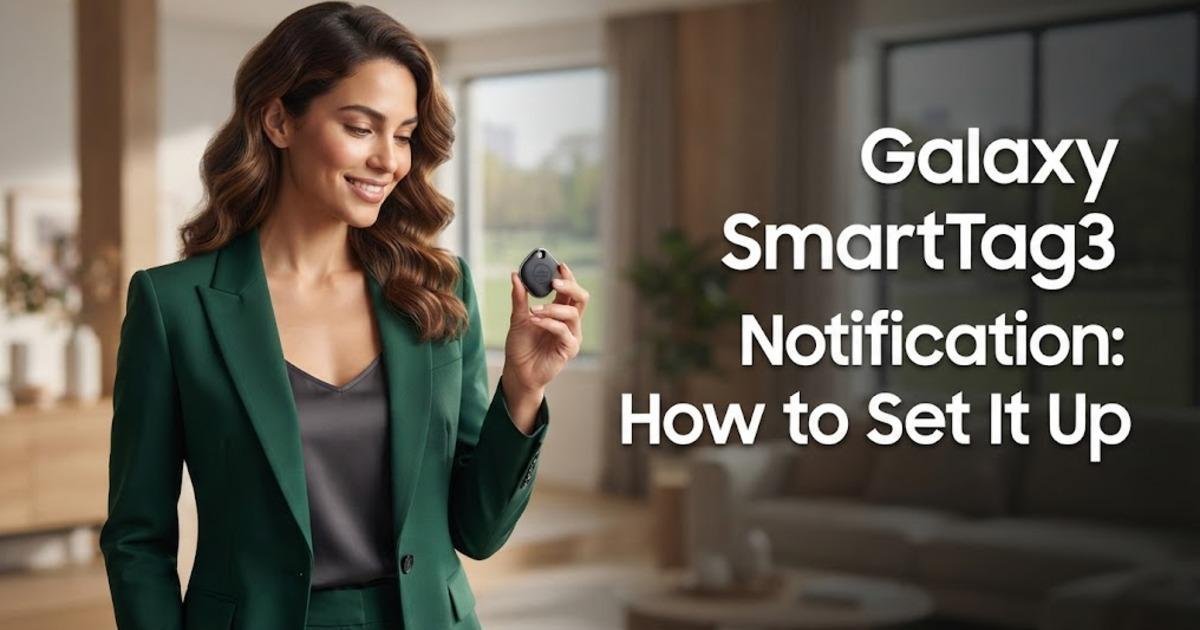
Samsung has added a useful new safety net to the Galaxy SmartTag3: Galaxy SmartTag3 Place Notification can alert you when a tagged item enters or leaves a place you define. The tracker was announced on September 30, 2026, but it is not available everywhere yet; Samsung says the first launch is in Korea on October 7, followed by the U.S. and additional markets in 2027. This guide shows how the feature is intended to work, where to enable it, what the other tracking alerts do, and which limitations matter before you rely on it for keys, luggage, bikes, or pets.
What Galaxy SmartTag3 Place Notification actually does
Place Notification is designed for situations where you care about an item's location without wanting to open a tracking app repeatedly. You define a place in Samsung's SmartThings service, then the SmartTag3 can notify you when the tagged item enters or leaves that area. Samsung gives examples such as receiving an alert when a pet leaves a yard or when a bicycle moves outside its usual parking area. The feature is currently described by Samsung as a trial feature, so it should be treated as an additional alert rather than a guaranteed real-time boundary system.
Check your SmartTag3 and phone before setting it up
Before configuring an alert, make sure the SmartTag3 is paired with a compatible device and that the relevant Samsung tracking features are available in your region. SmartTag3 expands the lineup beyond Samsung-only tracking by supporting core finding and sharing features on both Galaxy and iOS devices, although individual functions do not have identical support across platforms. For example, Samsung says Left Behind Alert is currently unavailable on iOS, while Compass View requires a compatible Galaxy device running Android 12 or later. That distinction matters because the SmartTag3 may work with your phone while a particular advanced finding or notification feature does not.
Availability check: Samsung says Galaxy SmartTag3 launches first in Korea on October 7, 2026, followed by the U.S., with additional markets planned for 2027. If you are reading this before the device reaches your market, the settings described below are the published feature path rather than a claim that the hardware is already available locally.
Turn on Galaxy SmartTag3 Place Notification
Samsung has published a specific path for enabling Place Notification in SmartThings. Open SmartThings, go to Life, then open Find and enable Notify when in set place. From there, the feature is intended to let you configure a defined area around a place that matters to you. The exact screens and available controls can vary by device, software version, region, and the version of SmartThings installed on the phone, so do not assume every Galaxy device will show identical wording.
Open SmartThings on the compatible phone and enter the Life section.
Open Find and look for the SmartTag3 finding controls.
Enable Notify when in set place, which is Samsung's published control for Place Notification.
Define the place and the notification behavior offered by your version of SmartThings.
Save the setting, then check that the SmartTag3 is associated with the belonging you actually want to monitor.
The important result is that the alert is tied to a defined place rather than simply asking you to check the tag's current position. That makes it better suited to recurring situations, such as knowing when a tagged bicycle leaves a normal storage area or when a tracked belonging arrives at a destination. Samsung cautions that the displayed location can differ from the physical location because of surrounding conditions. Treat the notification as an indication that the item has crossed the configured area, not as a survey-grade boundary measurement.
Use Location History when you need to see where the tag has been
Place Notification answers a forward-looking question, but Location History answers a different one: where was the tagged item detected previously? Samsung says SmartTag3 can store location history for up to seven days, after which older records are automatically deleted. That can be useful when you realize a bag or another belonging has moved and you want more context than its latest reported position. It also means the feature is not intended to provide a permanent travel history for an item.
Turn on movement alerts for a different kind of warning
Movement Detection Alert is separate from Place Notification and is aimed at detecting movement after the SmartTag3 is disconnected from your phone. Samsung says the feature relies on signals detected by nearby Galaxy devices that have agreed to Offline Finding, so it depends on the surrounding participating-device environment. That means an alert can be delayed or may not arrive at all if there are too few suitable nearby devices or environmental conditions interfere with detection. It is therefore useful as another layer of awareness, but it should not be treated as a guaranteed live alarm.
Use Compass View when the missing item is nearby
Once you are close to a lost SmartTag3, Samsung's enhanced Compass View can provide distance and directional guidance on supported Galaxy devices. SmartTag3 uses Bluetooth 6.0 Channel Sounding for detection at distances of up to 60 meters under specified line-of-sight conditions, while ultra-wideband can provide more precise guidance on compatible hardware. Samsung currently lists Galaxy Z Fold8 Ultra, Galaxy Z Fold8, Galaxy S26 Ultra, and Galaxy S26 Plus among the devices supporting Bluetooth Channel Sounding, with additional support potentially coming later. Walls, nearby electronics, and other obstacles can reduce both range and directional accuracy, so the published 60-meter figure is not a guarantee for every room or street.
After Compass View gets you close, SmartTag3 can also use Ring Your Tag to help locate an item that is nearby but hidden from view. This is the practical final step when the map has already narrowed the search to a room, vehicle, bag, or another small area. The combination matters because a directional indicator can get you close without telling you whether the tag is under a cushion or inside another object. Samsung says users can adjust the tag's ringtone and volume to make the sound easier to hear in different surroundings.
Set up Lost Mode before you actually lose something
Lost Mode gives a finder a way to contact you if the SmartTag3 turns up somewhere outside your control. Samsung says you can register contact information and a short message in SmartThings, and that information can be displayed when someone taps the tag with a compatible phone using near-field communication, or NFC. The other phone must support NFC reading and have an internet connection for the registered information to be displayed. Because this exposes the contact information you choose to register, Samsung recommends turning Lost Mode off when it is no longer needed.
Do not confuse SmartTag3 tracking with continuous GPS
SmartTag3 is a Bluetooth tracker that can use Samsung's wider finding network when the tag moves outside the direct connection range of your own phone. Samsung says more than 900 million participating Galaxy devices can act as finding nodes, but location updates depend on nearby participating devices, network conditions, device settings, and regional conditions. In practical terms, the tracker does not independently transmit a continuous GPS position from anywhere in the world. Its usefulness away from your phone depends on the surrounding ecosystem being able to detect the tag and report its location.
Know the limits before relying on the alerts
The biggest mistake is treating every SmartTag3 notification as a precise real-time guarantee. Samsung explicitly says Place Notification is a trial feature and warns that the displayed location may differ from the tag's actual location, while movement notifications can depend on nearby Galaxy devices participating in Offline Finding. Left Behind Alert has another limitation because it depends on the direct connection between the phone and the tagged belonging, and Samsung says environmental factors can cause false alerts. These limitations do not make the features useless; they tell you which alerts are appropriate for awareness rather than security-critical monitoring.
For a practical setup, use Place Notification when you want to know whether an item has entered or left a familiar area, use Movement Detection Alert when movement after disconnection is the concern, and use Lost Mode so a finder has a way to return the item. Use Compass View and Ring Your Tag when you are already searching nearby rather than waiting for another network update. Keep Location History in mind when the question is where the tag has been during the last several days. That division of jobs makes the SmartTag3 easier to use because each feature answers a different question instead of treating the tracker as one all-purpose location system.
What to do when SmartTag3 reaches your market
Samsung's first confirmed SmartTag3 launch is October 7, 2026, in Korea, with the U.S. following and additional markets planned for 2027. Until the tracker is available in your market, the safest approach is to treat Samsung's published feature descriptions as the confirmed specification while allowing for changes to menus and regional availability. Once you have the device, start by pairing it, confirming that SmartThings can locate it, and then configuring Place Notification for one location before adding more alerts. That gives you a simple test case and lets you verify how quickly the notification behaves in your own environment before depending on it for luggage, bikes, pets, or other belongings.
Written by