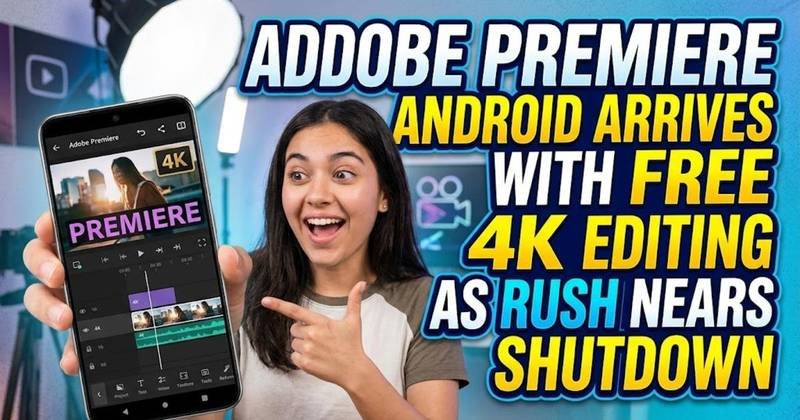
Adobe Premiere Android Arrives With Free 4K Editing as Rush Nears Shutdown
Adobe Premiere is now available on Android with free 4K exports, multi-track editing and AI tools. Here is what the new app offers and what Android users still cannot do.
On this page
Adobe released Premiere for Android on September 22, giving Android phone users a full-featured mobile video editor just eight days before the company ends technical support for Premiere Rush. The new app is free for core editing, exports video at up to 4K without a watermark, and does not require a Creative Cloud account to start editing.
Adobe Premiere Android finally fills the mobile editing gap
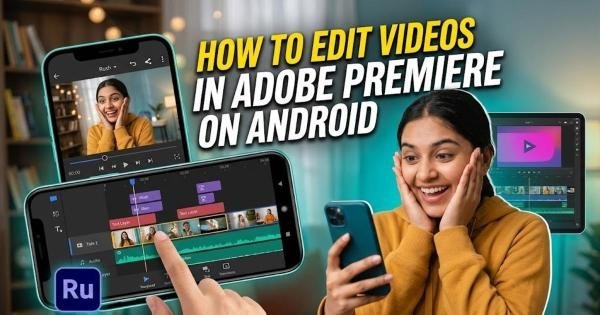
The Android release is more than a simple port of an iPhone app. Adobe has built the experience around touch controls and different Android screen sizes, with a multi-track timeline for combining video, music, voiceovers, text, and effects. Users can make frame-accurate cuts, apply transitions and effects, improve recorded audio with Enhance Audio, and export finished videos at up to 4K. The app also supports creator-made templates and direct workflows aimed at short-form video, giving Android users tools that previously required a different editor or a desktop.
That matters because Adobe is not positioning Premiere as a stripped-down companion utility. The company says the core editor is available without a forced login or upgrade prompt, while independent testing by Ars Technica found that the Android version could handle multiple high-bitrate 4K clips without immediately choking. In that test, a three-minute 4K60 export took roughly three minutes on a Pixel, although adding new video tracks could take longer to process. That makes the app capable enough for serious mobile work, but it does not make every Android phone equally suitable for the workload.
The 5GB RAM requirement is the first thing Android users should check
Adobe requires Android 13 or later and at least 5GB of RAM for Premiere mobile. The operating-system requirement is relatively straightforward, but the unusual RAM threshold could matter more to people using older or cheaper Android phones. A device with 4GB of RAM, for example, falls below Adobe's published minimum even if it runs Android 13. This means the app's “free” entry point still depends on whether the phone has enough memory to install and run it.
Adobe's broad device target is also deliberate. The company says Premiere was built for Android's variety of hardware rather than only the latest flagship phones. That includes different screen sizes and foldable devices, where the interface can make better use of the larger unfolded display. Ars Technica's testing also found the app usable on a conventional Pixel phone, although export and processing times naturally depend on the device and project.
Free 4K exports are useful, but the AI layer has a price
The strongest part of the free offering is that basic editing does not appear to be locked behind a subscription. Users can cut and arrange footage, add audio and effects, use templates, and export up to 4K without a watermark. Adobe also says the mobile experience has no ads and does not force users into an upgrade before they can edit. For someone producing YouTube Shorts, Instagram videos, tutorials, or other social content, that removes several restrictions that can make free mobile editors frustrating to use.
The boundary appears when Adobe's generative artificial intelligence tools enter the workflow. Premiere includes Firefly-powered features such as Generative Fill, Image-to-Video, and Generate Sound Effects, but additional generative credits and storage are paid upgrades. That creates a useful distinction: the traditional video editor is the free part, while AI-assisted creation becomes the paid layer. Users who only need conventional cutting, audio, effects, and exports can therefore use the app without treating the AI features as a requirement.
The biggest missing feature is the desktop handoff
There is one important limitation for people who move between phone and computer: continued editing in Premiere on desktop is not available yet on Android. Adobe lists desktop continuation among the features still coming to the mobile app, alongside Adobe Fonts, enhanced captions, keyframes, cropping, and beat detection. That changes the app's usefulness for professional workflows because a creator cannot yet assume that a project started on an Android phone can immediately be finished in desktop Premiere.
For quick projects, this may not matter at all. A creator recording a product demonstration or tutorial can shoot the footage, edit it, clean up the audio, add effects, and export the final file without leaving the phone. The limitation becomes more significant when a project needs the deeper tools of desktop Premiere, because the mobile version is currently better understood as a capable editor in its own right rather than a complete replacement for the desktop workflow.
Adobe is replacing Premiere Rush at the same time
The timing of the Android launch is significant because Premiere Rush is approaching the end of its life. Adobe says Rush will stop receiving technical support after September 30, 2026, and the application may stop functioning after that date. The company has been moving users toward its newer Premiere mobile and desktop products, making the Android release especially relevant for people who previously relied on Rush on Android.
That leaves Android users with a clearer replacement than they had before this week. Premiere Rush was designed as a lightweight editor for quick video creation, while the new Premiere mobile app brings a more advanced timeline and editing system. Adobe is effectively asking existing users to move to a newer application at the same moment it becomes available on Android. With Rush support ending on September 30, anyone still depending on the older app has very little reason to build a new workflow around it now.
What Android creators can use Premiere for right now
The current feature set makes the app particularly practical for social video and other projects that can be completed entirely on a phone. A multi-track timeline allows video, music, narration, text, and effects to be layered rather than edited as one flattened clip. Enhance Audio can reduce background noise and improve speech, while templates can shorten the time needed to build a social video from scratch. Exporting at up to 4K without a watermark also means the final file does not have to carry an obvious sign that it was made with a free editor.
Foldable phones are another interesting use case because Adobe has adapted the interface rather than simply stretching a phone layout across a larger screen. WIRED reports that the Android version can place the video preview and timeline side by side on foldable devices, while conventional phones use a more familiar stacked arrangement. That matters for editing because a larger working area can make a multi-track timeline easier to manage. It also shows why Adobe treated Android as its own platform rather than assuming the iPhone interface would work everywhere.
The next test is whether Adobe can complete the Android workflow
Premiere's Android launch removes the biggest availability problem, but the unfinished features will determine how far the app can replace a desktop workflow. Desktop project continuation is particularly important because it connects mobile capture and editing with the much deeper capabilities of Premiere on a computer. Adobe has already confirmed that this feature and several editing tools are in development, so the current release should be treated as the starting point rather than the final Android feature set.
For now, the practical checklist is simple: the phone needs Android 13 or newer and at least 5GB of RAM, while creators who need only standard editing can use the core app without paying for a Creative Cloud subscription. The more interesting question is what Adobe adds next. If desktop handoff, improved captions, keyframes, and the other announced tools arrive without changing the basic free editing model, Premiere could become a much more complete mobile workflow for Android creators rather than simply another video editor in Google Play.
Written by