How to Use OpenAI Hosted Sandboxes with Agents API
Learn how to create OpenAI Agents API sessions with OpenAI-hosted sandboxes, configure workspaces and capabilities, use subagents, and control execution safely.
On this page
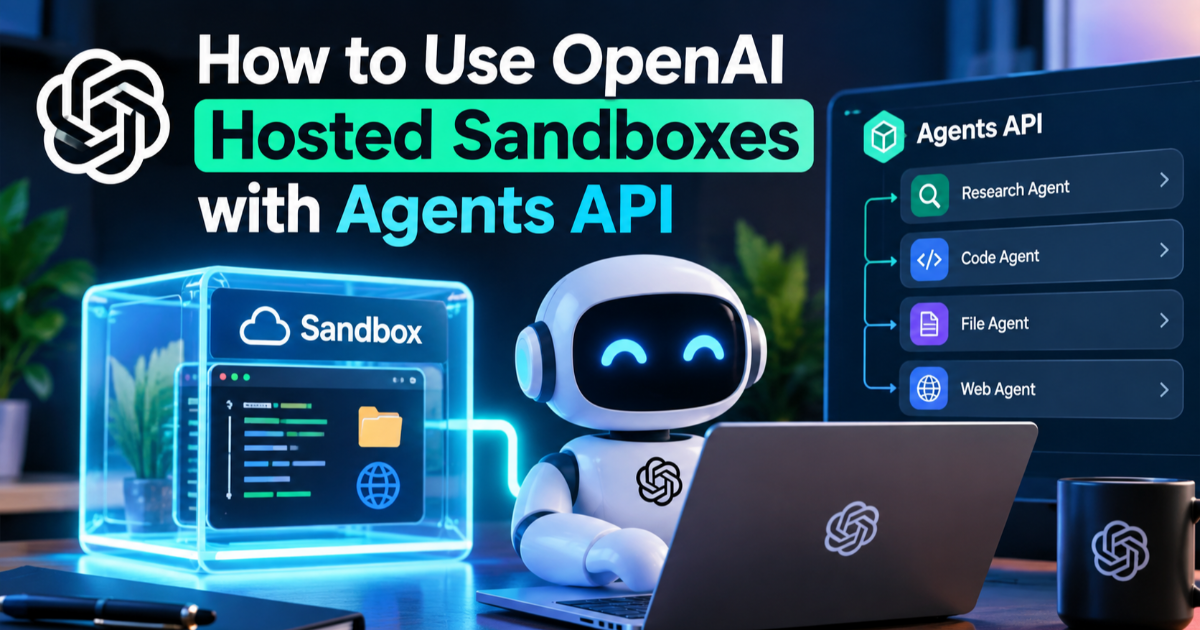
OpenAI's Agents API now lets developers give an AI agent a managed execution environment instead of building the sandbox infrastructure themselves. The public beta, released on September 10, 2026, can create sessions that run code, work with files, produce artifacts, use tools, and continue across longer tasks. This tutorial shows how to create an OpenAI-hosted sandbox agent, give it a controlled workspace, and verify the result without confusing the agent's orchestration layer with the environment where its code runs.
Why the hosted sandbox matters for AI agents
An AI agent that only returns text has a relatively simple job: receive instructions, call a model, and return the response. An agent that must inspect files, install packages, execute code, and produce files needs something closer to a temporary computer. OpenAI's Agents API separates those responsibilities by managing the agent harness while letting the agent operate inside a selected execution environment. With the hosted option, OpenAI provisions and manages the sandbox instead of requiring you to assemble containers, filesystem access, lifecycle management, and related infrastructure yourself.
The distinction matters when designing an application. The Agents API handles the agent loop, session orchestration, context management, and recovery, while the sandbox supplies the place where code and files can be handled. You can instead connect your own infrastructure or supported sandbox providers when the workload requires a different network, storage, or compute setup. For a first project, the OpenAI-hosted environment is the simplest way to understand this separation.
What you need before creating a sandbox agent
You need an OpenAI API project with an API key and a development environment that can install the current OpenAI SDK. This example uses JavaScript with Node.js because the Agents API exposes a straightforward TypeScript and JavaScript client interface. Keep the API key in an environment variable rather than placing it directly in source code, especially when the agent can execute commands or access project data.
- Install a current Node.js release suitable for the OpenAI JavaScript SDK.
- Create a new project directory.
- Initialize the project with
npm init -y. - Install the OpenAI package with
npm install openai. - Set the
OPENAI_API_KEYenvironment variable in your development shell.
The result should be a Node.js project that can create an OpenAI client without exposing the key in the application source. Do not commit the environment file or API key to a Git repository. A sandbox is an execution boundary, not a substitute for ordinary credential management.
Create your first hosted sandbox session
The Agents API creates an agent session through the beta agents interface. A session contains the model configuration, instructions, tools, execution environment, and the task you want the agent to perform. For the hosted sandbox, the environment type is openai_hosted. The important part is that the model does not need to be given unrestricted access to your development computer because the execution environment is provisioned separately.
import OpenAI from "openai";

const client = new OpenAI();

const session = await client.beta.agents.sessions.create({
agent: {
model: "gpt-6-astra",
instructions:
"Work carefully with files. Inspect before changing anything. " +
"Keep generated files inside the workspace output directory.",
},
environment: {
type: "openai_hosted",
},
input:
"Create a small report explaining the files available in the workspace.",
});

console.log(session.id);
console.log(session.status);
The response contains a session identifier and the initial session state. The exact model availability and account access can change during the public beta, so treat the model name in the example as a current configuration example rather than a permanent requirement. The important configuration is the relationship between agent, environment, and input: the first defines how the agent works, the second defines where execution occurs, and the third defines the task.
Give the agent a useful workspace
A sandbox becomes useful when the agent has something concrete to inspect or create. OpenAI's hosted environment can be configured with files, packages, skills, and plugins required for a task. The goal should be to provide only what the agent needs rather than treating the sandbox as an unrestricted general-purpose server.
For example, a document-processing agent might receive a set of input files and be instructed to place generated reports in a dedicated output directory. A coding agent could receive a repository snapshot and be asked to inspect the project before making a change. This separation gives you a clear boundary: source material goes in, the agent performs its work inside the environment, and approved artifacts come out.
Use capabilities when the task needs specialized behavior
The hosted environment can also expose capability directories containing reusable skills. A skill is a set of instructions and supporting resources that helps an agent perform a particular type of work consistently. This is different from the model itself: the model provides reasoning and generation, while a skill can describe the procedures, tools, or conventions that should be followed for a particular job.
const session = await client.beta.agents.sessions.create({
agent: {
model: "gpt-6-astra",
instructions:
"Analyze the supplied project and write findings to the output directory.",
},
environment: {
type: "openai_hosted",
capability_directories: [
"/workspace/capabilities/skills",
],
},
input:
"Inspect the project, identify the three most important maintainability issues, " +
"and save a report in /workspace/outputs.",
});
The capability directory should be used when your agent genuinely needs specialized procedures rather than as a generic dumping ground for instructions. Keeping capabilities focused makes the agent's operating environment easier to reason about and reduces unnecessary context. It also gives you a cleaner path to maintaining the workflow when the model or application changes.
Let the agent work across a longer session
Long-running work is one of the main reasons the Agents API differs from a simple model request. OpenAI's managed harness can compact earlier context as a session approaches its context limit, allowing an agent to continue a task without requiring your application to manually rebuild the entire conversation. The session can therefore cover work that takes substantially more interaction than a single request-response cycle.
This does not mean that every task should be allowed to run indefinitely. Define a concrete objective, constrain where outputs are written, and give the agent clear completion criteria. A useful instruction might require the agent to inspect a repository, run its tests, document failures, and save a report rather than simply asking it to "fix everything." The narrower instruction makes it easier to verify whether the session actually completed its intended work.
Add tools without rebuilding the agent loop
The Agents API can connect agents to tools including custom functions, Model Context Protocol servers, and built-in capabilities. Model Context Protocol, or MCP, is a standard for connecting AI systems to external tools and data sources. The managed harness can coordinate these calls while your application defines which capabilities the agent is allowed to use.
That changes the architecture of a typical agent application. Instead of writing your own loop for deciding when to call the model, when to execute a tool, how to maintain context, and how to recover from interruptions, the managed harness handles much of that coordination. Your application still owns the important policy decisions: which tools exist, what data they can reach, and what the agent is allowed to do with their results.
Use subagents only when work can be separated
The Agents API also supports multiple agents working on separate parts of a larger task. A parent agent can delegate independent pieces of work to subagents and combine their results. For example, a software investigation could split into separate analysis of deployment errors, dependency problems, and application logs before the main agent produces a final diagnosis.
const session = await client.beta.agents.sessions.create({
agent: {
model: "gpt-6-astra",
multi_agent: {
enabled: true,
max_concurrent_subagents: 3,
},
instructions:
"Break independent analysis tasks into focused subagent work " +
"and combine the findings into one final report.",
},
environment: {
type: "openai_hosted",
},
input:
"Investigate the supplied project and identify independent build, " +
"dependency, and testing problems.",
});
The limit of three concurrent subagents in this example is an explicit configuration rather than a claim that three agents are always better. Parallel work makes sense only when tasks are sufficiently independent. If every subagent needs the same changing state, splitting the work can add coordination overhead instead of reducing it.
Keep the sandbox boundary clear
A hosted sandbox should be treated as a controlled execution environment, not as a trusted extension of your production server. The agent can work with files and execute code inside the environment, but your application should still control what sensitive information enters the session. Avoid placing production credentials, private signing keys, or unrelated customer data into a workspace merely because the agent might find them useful.
The separation between harness and compute is also useful for security. OpenAI's agent architecture is designed so that the orchestration layer and execution environment are distinct, allowing execution to happen in a bounded environment rather than directly on your application's host. That boundary reduces the consequences of an agent-generated command going wrong, but it does not eliminate the need for access controls, validation, and careful tool design.
Check the session result instead of trusting the model
A successful API response does not automatically mean the agent completed the business task correctly. Inspect the session status and any generated artifacts, then validate the result using deterministic checks where possible. If the agent produced code, run the project's tests; if it produced a data file, validate its schema; if it generated a report, check that the required sections and source files are present.
The session object exposes states such as idle, in_progress, requires_action, and failed. A session that requires action may need your application to handle a requested tool or environment operation before work can continue. Building this state handling into your application is safer than assuming every agent run ends with a final text response.
Understand what you pay for
OpenAI says there is no additional fee specifically for using the Agents API during the public beta. You still pay for the model tokens and tools used by the agent, while OpenAI-hosted sandboxes use container pricing. That distinction matters because an agent can consume resources in two different ways: model reasoning and execution infrastructure.
A long-running agent can therefore cost more than a short model request even when the prompt itself looks small. File processing, repeated tool calls, package installation, and extended sessions can all contribute to resource use. Before putting an autonomous workflow into production, measure typical session duration, model usage, tool frequency, and sandbox consumption with representative workloads rather than estimating cost from the initial prompt alone.
When an OpenAI-hosted sandbox is the right choice
The hosted sandbox is a strong starting point when you want an agent that can execute code and manipulate files without first building your own container lifecycle and orchestration system. It is particularly useful for prototypes, internal automation, document processing, coding workflows, and other tasks where the agent needs a disposable workspace. As the workload becomes more specialized, the Agents API also allows you to move execution to your own infrastructure or a supported sandbox provider.
The most useful mental model is simple: the Agents API supplies the managed agent machinery, while the sandbox supplies the place where the work happens. Start with a small task, restrict the workspace, validate every important output, and measure actual resource usage before broadening the agent's permissions. That gives you a practical path from a first sandbox experiment to a production architecture without having to rebuild the entire agent runtime yourself.

Written by