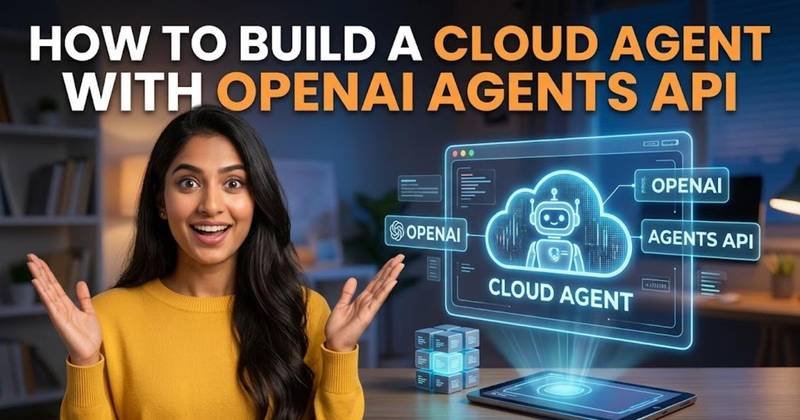
How to Build a Cloud Agent with OpenAI Agents API
Learn how to create a cloud agent with OpenAI's Agents API, add tools, handle long-running work, and design safer multi-agent workflows.
On this page
OpenAI's Agents API entered public beta on September 10, 2026, giving developers direct access to the managed harness behind its Codex and ChatGPT for Work systems. Instead of building your own loop for context management, tool coordination, subagents, and long-running execution, you can define an agent through the API and let OpenAI operate that infrastructure. This tutorial shows the basic architecture and how to create a cloud agent from Python.
What the Agents API actually manages
An AI agent needs more than a model endpoint. It needs somewhere to keep context, a way to invoke tools, a mechanism for handling intermediate results, and rules for coordinating additional agents when a task becomes too large for one process. OpenAI's Agents API packages those responsibilities into a managed cloud agent environment built around the same Codex harness that OpenAI uses internally for long-running work.
The distinction matters because a normal model request largely ends when the response arrives. An agent can continue working through multiple operations, use files and tools, recover from intermediate problems, and preserve information needed later in the task. OpenAI's API is designed around that longer-running execution model rather than treating every model call as an isolated request.
Start with the Agents API SDK
The first step is to install the current OpenAI Python SDK in a virtual environment. Keeping the project isolated makes it easier to reproduce the exact dependency versions used during development.
python -m venv .venv

# macOS or Linux

source .venv/bin/activate

# Windows

.venv\Scripts\activate

pip install openai
Set your OpenAI API key as an environment variable rather than putting it directly into the source code. Your application can then read the credential from the environment when it creates the client.
import os
from openai import OpenAI

client = OpenAI(
api_key=os.environ["OPENAI_API_KEY"]
)
The environment-variable approach also makes it easier to use separate credentials for development, testing, and production without changing application code. Never commit the key to a Git repository or place it in browser-side JavaScript.
Create the smallest useful cloud agent first
A good first test should prove that the API can create an agent and execute a task before you introduce tools or multiple agents. Define a focused instruction and give the agent a concrete job rather than starting with a general-purpose assistant.
agent = client.agents.create(
name="research_assistant",
model="gpt-6-astra",
instructions=(
"Research the assigned topic carefully. "
"Separate confirmed facts from uncertain claims "
"and produce a concise research brief."
)
)

run = client.agents.runs.create(
agent_id=agent.id,
input=(
"Explain the main technical differences between "
"retrieval-augmented generation and fine-tuning."
)
)

print(run)
The important idea is the separation between the agent definition and the task sent to it. The agent contains the behavior you want to reuse, while an individual run supplies the work it needs to perform. That structure becomes increasingly useful when the same agent handles many jobs instead of being recreated for every request.
Give the agent a tool instead of asking it to guess
Agents become more useful when they can interact with external systems. A model's knowledge is not automatically a live database, so an application should expose a tool when the answer depends on current or private information.
For example, a support agent might need to retrieve an order from your own database. The model should decide that the order lookup is required, but your application should execute the actual database operation and return the result.
def get_order_status(order_id: str) -> dict:
# Replace this with your real database lookup.
return {
"order_id": order_id,
"status": "shipped"
}
When you expose a function as an agent tool, keep the interface narrow. The function should perform one clearly defined operation and return structured information. Avoid giving an agent unrestricted database access when it only needs to look up an order by an identifier.
Use managed tools where they fit the job
Not every capability needs to be implemented as your own function. A managed agent can use supported tools for tasks such as working with files, executing code, or interacting with other capabilities exposed by the platform. This is one of the main differences between a conventional model API integration and a managed agent environment.
The practical benefit is that your application can describe what the agent is allowed to do without implementing an entire execution environment around every model call. The trade-off is that developers still need to understand what each tool can access, what permissions it requires, and how its output should be validated before being used in a sensitive workflow.
Keep long-running work separate from your web request
A common mistake is to treat an agent that might work for several minutes like a normal HTTP request that should return immediately. Long-running execution needs a different application design. Your frontend can create a job, display its current state, and retrieve or stream progress rather than keeping a browser request open indefinitely.
This becomes especially important when an agent is researching several sources, processing files, running code, or coordinating subagents. The application should assume that intermediate work can take time and that the user interface may need to handle states such as queued, running, completed, or failed.
Add subagents when one agent has too many responsibilities
The Agents API also supports subagent orchestration. A subagent is a specialized agent that another agent can delegate work to. For example, a research workflow could have one agent responsible for gathering information, another for checking technical details, and a final agent responsible for turning the verified material into a report.
Do not split every small task into another agent. Each additional agent introduces another layer of instructions, context transfer, execution, and potential failure. A useful rule is to create a subagent when the work has a genuinely different responsibility or requires a separate tool set, not merely because the workflow can technically support more agents.
Design permissions before connecting real systems
A cloud agent can be powerful precisely because it can work with tools and environments on your behalf. That makes permission design part of the application rather than an afterthought. An agent that can read customer records should not automatically be allowed to modify them, and an agent that can prepare an email does not necessarily need permission to send it.
Start with read-only capabilities wherever possible. Add write operations only when the workflow requires them, and put explicit confirmation or application-level authorization around actions that have financial, legal, account, or irreversible consequences. The model's instruction is not a security boundary by itself; the actual tool implementation must enforce the permission.
Test failures, not just successful answers
Agent testing needs to cover more than whether the final response sounds correct. Force a tool to return an error, provide incomplete information, interrupt a long-running task, and give the agent a request outside its allowed scope. These tests show whether the orchestration layer handles failure predictably.
Also inspect the intermediate operations when debugging. A polished final response can hide a bad tool call or an incorrect assumption earlier in the workflow. When the agent's work affects real systems, logs and structured execution records become as important as the final text shown to the user.
Where the Agents API fits in a new project
The Agents API is most useful when your application needs persistent, tool-using work rather than another simple chatbot endpoint. Its managed harness takes responsibility for infrastructure that developers would otherwise have to assemble themselves, including context handling, tool coordination, and multi-agent execution.
The sensible way to adopt it is to start with one narrowly defined agent and one useful task. Add tools only when the agent needs information or capabilities outside the model, introduce subagents when responsibilities genuinely separate, and keep sensitive permissions enforced by your application. That approach lets you test the agent's execution model before a simple prototype grows into an opaque system that is difficult to debug.
Written by