How to Test Python 3.15 Before Its Final Release
Python 3.15.0rc2 is the final planned release candidate. Learn how to test dependencies, application code, compiled packages and deployment environments before the October 1 final release.
On this page
Python 3.15.0rc2 is the final planned release candidate before Python 3.15.0, which is scheduled for October 1, 2026. The release candidate is close to the final version, with no further application binary interface changes planned, making this a useful point to test real projects before upgrading.
Why Python 3.15rc2 is the right build to test
A release candidate is a pre-release build intended to be stable enough for final compatibility testing, but it is not recommended for production use. Python 3.15.0rc2 includes about 144 bug fixes, build improvements and documentation changes since the previous candidate. Because the Python team expects only reviewed fixes before the final release, problems found now are more useful for upgrade planning than tests performed against an earlier alpha or beta.
The practical target is not simply checking whether Python starts. You want to know whether your application's dependencies install correctly, whether its test suite passes, whether compiled extensions have compatible wheels, and whether changes in Python 3.15 affect application behavior. That distinction matters because a project can run perfectly with the interpreter itself while one dependency still fails during installation.
Install Python 3.15 in an isolated environment
Do not replace your production Python installation with the release candidate. Install Python 3.15.0rc2 separately or use an isolated virtual environment so that your existing projects continue using their current interpreter. Python provides installers and source packages for the release candidate, while its official documentation has a dedicated 3.15 documentation set.
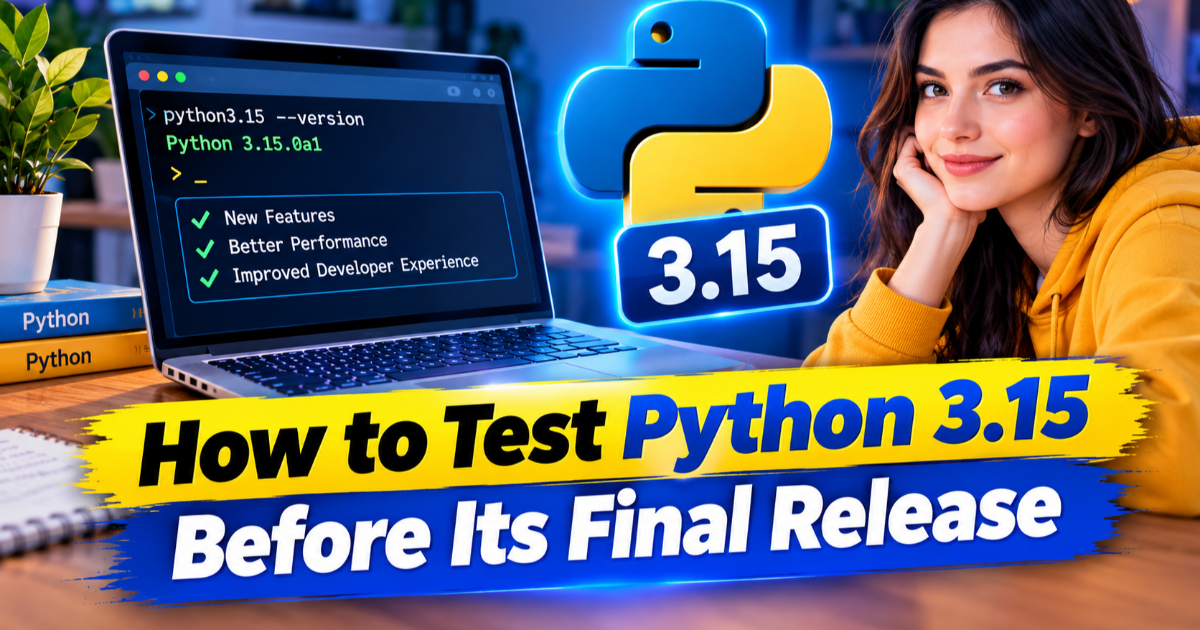
After installation, verify exactly which interpreter your terminal is using. On Windows, run py -3.15 --version if the Python launcher recognizes the installation. On systems where the executable is directly available, use python3.15 --version. The result should identify Python 3.15.0rc2 rather than an older stable interpreter. This simple check prevents a surprisingly common testing mistake: running the project's tests against Python 3.14 while believing the new interpreter is being exercised.
Create a clean virtual environment
A virtual environment keeps the project's installed packages separate from the system interpreter. Once Python 3.15 is confirmed, create a fresh environment rather than copying an existing one, because an old environment can hide dependency installation problems. A clean environment also gives you a more realistic picture of what a new Python installation will require when the final release arrives.
python3.15 -m venv .venv315
Activate that environment using the normal activation command for your operating system, then verify the interpreter again with python --version. The displayed version should remain 3.15.0rc2. If your project uses a dependency lock file or requirements file, install the same dependency set you use for the stable Python version rather than changing several variables at once.
Install your dependencies before testing application code
Dependency installation is one of the most valuable parts of this test. Python's release team specifically asks maintainers of third-party projects to prepare for 3.15 and publish compatible wheels on the Python Package Index, or PyPI, during the release-candidate phase. A wheel is a pre-built Python package that can avoid compiling native code locally, so missing wheels can turn an otherwise successful upgrade into an installation problem.
Install your project's normal dependency set and watch for packages that fall back to source builds or fail altogether. Pay particular attention to packages containing native extensions because they interact more directly with Python's application binary interface, which defines how compiled components communicate with the interpreter. The Python project states that there will be no further ABI changes between this release candidate and the final 3.15 release, so compatibility problems discovered now are especially useful signals for maintainers.
Run the complete test suite, not just a startup check
Once dependencies are installed, run the same automated tests you use before merging normal application changes. Include unit tests, integration tests and any command-line or service-level tests that exercise important parts of the application. If your project has database, HTTP, file-processing or background-job tests, run those too because interpreter upgrades can expose problems outside the code paths covered by a small smoke test.
Record failures separately from dependency installation errors. A package that cannot install is an ecosystem compatibility problem, while a test that installs successfully but fails at runtime is an application compatibility problem. Keeping those categories separate makes it much easier to decide whether you need to wait for a dependency maintainer, change your own code, or simply retest with a newer release candidate.
Check the Python 3.15 changes that affect your code
Python 3.15 introduces several changes that deserve targeted testing. Explicit lazy imports allow selected imports to be deferred until their names are actually needed, while new built-in types include frozendict and sentinel. The release also includes a dedicated profiling package and improvements to the just-in-time compiler, commonly called the JIT, which can generate optimized machine code for supported Python execution paths.
Do not assume that a new feature automatically improves an existing application. If your project does not use explicit lazy imports, for example, there is little reason to rewrite working imports merely because the feature exists. Instead, compare behavior before and after the interpreter upgrade, then investigate only the areas where your application actually depends on changed functionality.
Test compiled packages and deployment environments
Local development is only half of the compatibility check. If your application uses packages with native components, test the same package versions and deployment architecture used by your staging or production environment. The Python team is encouraging maintainers to publish 3.15 wheels before the final release, and those wheels are intended to remain usable with subsequent Python 3.15 releases.
Repeat the test in your continuous integration environment if possible. A continuous integration system automatically builds and tests software on a clean machine, which can expose missing system dependencies or unsupported binary packages that your development computer happens to have installed already. If your current automation cannot install Python 3.15rc2, treat that as a separate infrastructure issue rather than modifying the application simply to make the test pass.
Check performance only after compatibility passes
Python 3.15 contains changes to the JIT compiler and other interpreter internals, so performance testing can be useful, but it should come after functional testing. Use the same workload, dataset, hardware and configuration when comparing Python 3.14 with Python 3.15. Otherwise, a faster result may come from a different test environment rather than the interpreter.
For most applications, the first useful performance question is practical: did an operation that matters to users become slower or faster under the new interpreter? Measure representative tasks such as application startup, request processing, batch jobs or test-suite duration. Do not treat a single microbenchmark as proof that an entire application will perform differently.
Record failures before the final release
Keep a short compatibility record containing the Python version, operating system, dependency versions, failing tests and exact error messages. This gives you something actionable when a package maintainer releases a new wheel or when you retest against the final interpreter. It also prevents the common mistake of rediscovering the same compatibility problem after the stable release.
Python 3.15.0 is scheduled for October 1, giving developers a clear testing window before the final release. If your application passes its dependency installation, automated tests and deployment checks on 3.15.0rc2, you have much stronger evidence for an upgrade than you would get from simply installing the interpreter and opening the application. Keep the release candidate out of production, continue testing the final release when it arrives, and only then make the production switch.

Written by