How to Build an AI App with Cloudflare Workers AI REST API
Learn how to build an AI application with Cloudflare Workers AI using its REST API. This tutorial covers credentials, model requests, Python integration, streaming, model selection, errors, and costs.
On this page
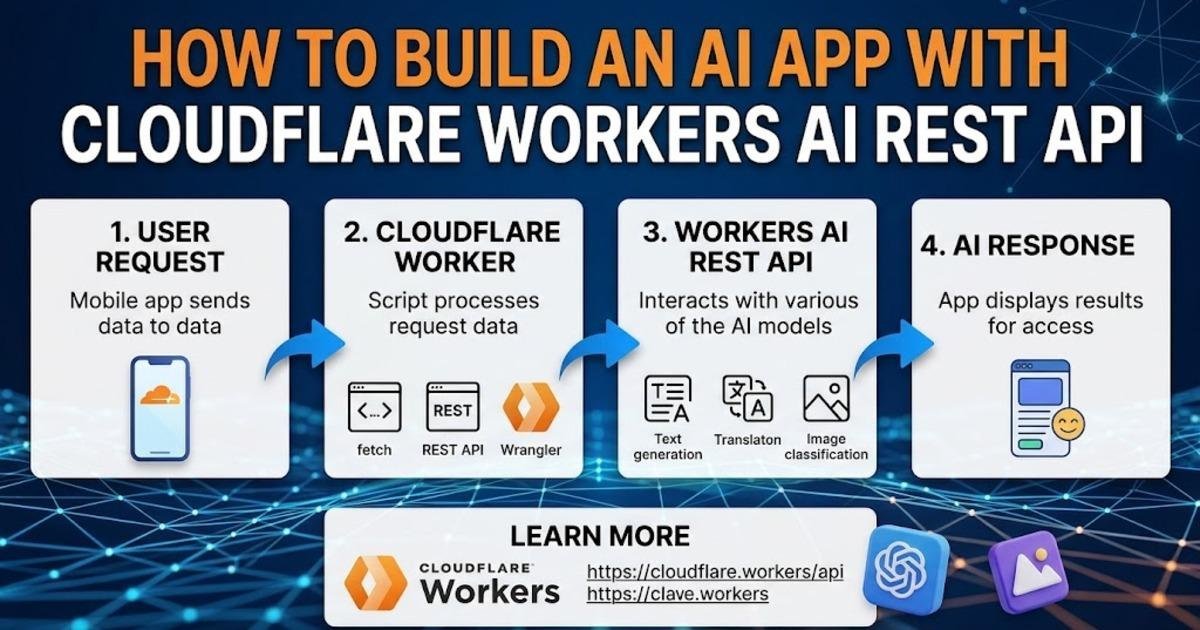
Cloudflare recently updated its Workers AI REST API getting-started guide, making it possible to call hosted AI models directly from a terminal or backend application without first building a Cloudflare Worker. The API uses an account ID, an API token, and a model identifier to send an inference request and receive a JSON response. This makes the REST API a practical starting point when you want to prototype an AI feature before adding serverless application code.
In this tutorial, you will build a small text-generation client with Python, call a Workers AI model, handle the response, and then turn the same request into a reusable application function. The example uses Meta's Llama 3.1 8B Instruct model, which is currently available through Workers AI with a 32,000-token context window.
What the Workers AI REST API Does
Workers AI provides hosted models that applications can invoke through Cloudflare's infrastructure. Instead of downloading model weights and managing GPU hardware yourself, your application sends an authenticated request containing a prompt or messages and receives the model output. Cloudflare's current model catalog includes text, vision, speech, embedding, image-generation, and other model types, so the REST interface is not limited to chat-style text generation.
The basic request has three important pieces: the Cloudflare account ID identifies the account, the API token authenticates the request, and the model ID selects the model that performs inference. Cloudflare's current REST documentation demonstrates this pattern with @cf/meta/llama-3.1-8b-instruct.
Prepare Your Cloudflare Credentials
Create a Cloudflare account with Workers AI enabled, then open the Workers AI section of the dashboard and create an API token. Cloudflare's current setup documentation says a custom token needs both Workers AI read and edit permissions. Keep the token on the server side rather than putting it into browser JavaScript, because anyone who receives the token could potentially use your account's AI resources.
You also need your Cloudflare account ID. Store both values as environment variables instead of hard-coding them into application source code:
export CLOUDFLARE_ACCOUNT_ID="your-account-id"
export CLOUDFLARE_API_TOKEN="your-api-token"
On Windows, you can configure equivalent environment variables through PowerShell or the operating system's environment-variable settings. The exact method does not matter to the API; what matters is that your application can read the credentials without placing them directly in source files.
Make Your First AI Request
Before writing application code, test the credentials with a direct HTTP request. Cloudflare's REST endpoint follows the pattern of an account-specific API path followed by the model identifier. The current documentation uses Llama 3.1 8B Instruct for its first example.
curl "https://api.cloudflare.com/client/v4/accounts/$CLOUDFLARE_ACCOUNT_ID/ai/run/@cf/meta/llama-3.1-8b-instruct" \
  -H "Authorization: Bearer $CLOUDFLARE_API_TOKEN" \
  -H "Content-Type: application/json" \
  -d '{"prompt":"Explain what an API is in two sentences."}'
A successful response contains a result object and a response field containing the generated text. The API also returns success and error information, which your application should inspect instead of assuming every HTTP request produced valid model output.
Build the Same Request in Python
Once the raw request works, move it into application code. Python's standard HTTP tooling is enough for a basic REST client, so you do not need a dedicated artificial intelligence software development kit for this example.
import os
import requests

account_id = os.environ["CLOUDFLARE_ACCOUNT_ID"]
api_token = os.environ["CLOUDFLARE_API_TOKEN"]

url = (
    f"https://api.cloudflare.com/client/v4/accounts/"
    f"{account_id}/ai/run/@cf/meta/llama-3.1-8b-instruct"
)

payload = {
    "prompt": "Explain why backups are important for a small website."
}

response = requests.post(
    url,
    headers={
        "Authorization": f"Bearer {api_token}",
        "Content-Type": "application/json",
    },
    json=payload,
    timeout=60,
)

response.raise_for_status()

data = response.json()

if not data.get("success"):
    raise RuntimeError(data.get("errors", "Workers AI request failed"))

print(data["result"]["response"])
The important application change is the separation between configuration and request logic. Your credentials come from the environment, the URL is assembled from the account and model identifiers, and the response is validated before the generated text is used.
Turn the Request into a Reusable Function
A production application normally needs more than one prompt, so place the API call inside a function. This lets your website, command-line tool, or backend service send different user questions without duplicating authentication and error-handling code.
def ask_ai(prompt: str) -> str:
    response = requests.post(
        url,
        headers={
            "Authorization": f"Bearer {api_token}",
            "Content-Type": "application/json",
        },
        json={"prompt": prompt},
        timeout=60,
    )

    response.raise_for_status()

    data = response.json()

    if not data.get("success"):
        raise RuntimeError(data.get("errors", "Workers AI request failed"))

    return data["result"]["response"]


answer = ask_ai(
    "Give me three practical ways to improve website security."
)

print(answer)
Keeping the model call behind one function also makes later model changes easier. If you move from Llama 3.1 to another supported model, the rest of your application can continue calling ask_ai() without knowing which model is behind it.
Choose a Different Workers AI Model
The model identifier is part of the request path, so switching models does not require rewriting the entire API client. Cloudflare's current catalog contains dozens of models, including text-generation models, vision models, speech models, embeddings, and models with capabilities such as function calling or reasoning.
For example, Llama 3.3 70B Instruct FP8 Fast is available as @cf/meta/llama-3.3-70b-instruct-fp8-fast. Cloudflare lists function calling for this model and a 24,000-token context window.
MODEL = "@cf/meta/llama-3.3-70b-instruct-fp8-fast"

url = (
    f"https://api.cloudflare.com/client/v4/accounts/"
    f"{account_id}/ai/run/{MODEL}"
)
Do not select a model solely because its name contains a larger parameter count. Check the current model catalog for the capabilities your application actually needs, because context size, function calling, vision support, latency, and pricing can differ substantially between models.
Use Messages for Conversational Prompts
Applications that need separate system and user instructions can send messages instead of one plain prompt. A system message establishes the assistant's behavior, while a user message contains the current task. Current Workers AI model documentation demonstrates this message-based format for supported text-generation models.
payload = {
    "messages": [
        {
            "role": "system",
            "content": "You are a concise technical support assistant."
        },
        {
            "role": "user",
            "content": "Explain DNS caching for a beginner."
        }
    ]
}
This structure becomes useful when your application needs consistent instructions across many requests. You can keep the system instruction fixed while replacing the user message with each incoming question.
Add Streaming When the User Should See Output Early
For longer responses, waiting for the complete answer before displaying anything can make an application feel slow. Workers AI bindings support streaming responses, and model capabilities vary, so check the selected model's documentation before relying on a particular streaming behavior.
Streaming changes the application pattern because the server begins sending generated data before the entire response has finished. A chat interface can display those chunks as they arrive instead of keeping the user on a blank screen. If you do not need progressive output, the normal JSON response is simpler and easier to debug.
Understand Current Workers AI Costs
Cloudflare currently describes Workers AI pricing in neurons, a unit intended to represent the GPU compute used by an inference request. Its current pricing page lists a 10,000-neuron daily free allocation and says Workers Paid usage above that allocation is charged at $0.011 per 1,000 neurons. Individual models also have model-specific token pricing shown in the catalog.
That means application cost depends on what you run rather than simply how many API calls you make. A small model used for short prompts can have a very different cost profile from a large reasoning or generation model. Monitor usage in the Workers AI dashboard before moving a prototype into a high-volume production workload.
Consider AI Gateway for a Larger Application
If your application eventually needs centralized logging, caching, rate limiting, or multiple model providers, Cloudflare's AI Gateway REST API provides a different layer above individual model calls. Its current REST API supports a universal endpoint as well as OpenAI-compatible and Anthropic-compatible formats, and it can route requests to Cloudflare-hosted or third-party models.
This can be useful when the application should switch between models without rewriting every provider integration. It also gives teams a central place to apply operational controls. For a small experiment, however, the direct Workers AI REST API is easier to understand because there is only one provider endpoint and one model request to debug.
Handle the Failures That Matter
Do not treat a successful HTTP connection as proof that the AI request succeeded. Check the API's success field, inspect returned errors, enforce a reasonable timeout, and avoid exposing authentication details in error messages returned to end users. Cloudflare's REST response format explicitly includes success, errors, and messages fields that can be used when diagnosing failed requests.
- Authentication failure: Check the token and its Workers AI permissions.
- Incorrect account ID: Verify that the request is targeting the account where Workers AI is enabled.
- Invalid model: Confirm the model identifier in the current catalog.
- Malformed payload: Check whether the selected model expects a prompt, messages, or another input structure.
- Timeout: Increase the client timeout carefully or use an application architecture that can handle longer-running requests.
- Unexpected output: Validate the JSON structure before passing model results to other application components.
What to Build After the Prototype
The simplest useful next step is to place this REST client behind your own application endpoint. A website could send a user's question to your backend, have the backend call Workers AI, validate the result, and return only the text needed by the browser. This keeps the Cloudflare credential away from visitors and gives you a place to add authentication, rate limits, input validation, and output handling.
Once that foundation works, you can replace the demonstration prompt with a real feature such as document summarization, support replies, structured extraction, or a model with vision or function-calling capabilities. The current Workers AI catalog gives you multiple model choices, while the REST API keeps the basic request pattern consistent.
The key decision at that stage is no longer how to send an AI request. It is how your application will validate, control, and use the model's output. Build those safeguards into the backend before connecting the feature to real users or sensitive data.
Written by