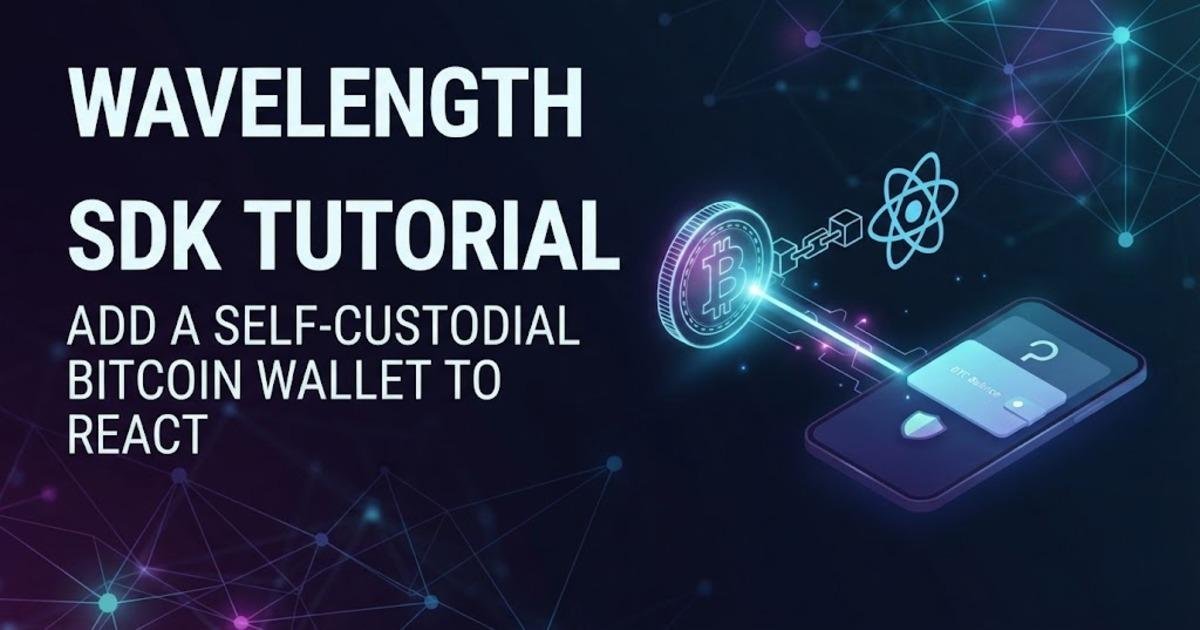
Wavelength SDK Tutorial: Add a Self-Custodial Bitcoin Wallet to React
Learn how to embed Lightning Labs' Wavelength SDK in a React app, create a self-custodial Signet wallet, send payments, receive funds, and test exits.
On this page
A new Bitcoin wallet does not have to begin with a Lightning node, channel management, or a server holding user funds. Lightning Labs' Wavelength SDK puts a self-custodial wallet inside a web or mobile application, with the wallet runtime running in WebAssembly in the browser or as a native module on mobile. This Wavelength SDK tutorial shows how to install the React packages, host the required runtime files, create the wallet engine, mount the provider, and send a Lightning payment on Signet before moving toward a production integration.
What Wavelength changes for a Bitcoin app
Wavelength is a TypeScript software development kit (SDK) for embedding Bitcoin, Lightning, and Ark wallet functionality directly into an application. Instead of operating a separate wallet server for each user, the Wavelength client runs inside the application and keeps the user's keys on the user's device. In a browser it uses WebAssembly, which lets compiled native-style code run inside the web environment, while the React Native integration uses a native module compiled into the mobile app. Lightning Labs introduced Wavelength as an alpha release in July 2026, and the current SDK documentation provides web, React Native, native mobile, API, and command-line integration paths.
The distinction between self-custody and hosted payments matters when you design the application. Your application runs the Wavelength client, which holds keys, tracks balances, and builds and signs payments, while the Wavelength Operator handles coordination and settlement services. The documentation says users can also move funds back to on-chain Bitcoin through an exit operation without requiring the operator's cooperation. That gives the SDK a different architecture from a conventional custodial payment API, even though the application code can still interact with a small typed wallet interface.
Start with Signet instead of real Bitcoin
Use Bitcoin Signet for the first integration. Signet is a Bitcoin test network designed for predictable testing, so you can create wallets and exercise payment flows without putting real funds at risk. Wavelength's current configuration helper includes public presets for Signet and testnet, and its own examples use defaultConfig('signet') for the web quickstart. Mainnet access was initially described by Lightning Labs as invite-only during the alpha launch, so a first implementation should stay on the supported test environment until the wallet lifecycle and recovery behavior have been tested thoroughly.
You will also need a modern web application environment capable of meeting Wavelength's browser requirements. The web transport runs the wallet daemon through WebAssembly and, by default, can place that runtime in a dedicated Web Worker rather than the page's main thread. The SDK documentation also calls out cross-origin isolation requirements, so this is not just a matter of installing two npm packages and immediately shipping the result.
Install the Wavelength React packages
Create or open a React application and install the React binding together with the browser transport. The React binding supplies the provider and hooks, while the web package supplies the WebAssembly wallet engine. The current installation documentation specifies these two packages for React applications.
npm install @lightninglabs/wavelength-web @lightninglabs/wavelength-reactThe architecture is deliberately split. @lightninglabs/wavelength-core contains shared types and the common wallet contract, @lightninglabs/wavelength-web supplies the browser transport, and @lightninglabs/wavelength-react adds React-specific provider and hooks. You normally do not need to install the core package directly because the other packages provide it transitively.
Host the wallet runtime before creating the engine
The npm package is not the entire wallet runtime. Wavelength separates the JavaScript and TypeScript SDK surface from the WebAssembly runtime assets, which means a web application must host the runtime files and tell the engine where to find them. The SDK repository identifies a set of assets including the compressed WebAssembly binary and supporting JavaScript and SQLite files, and the documentation recommends staging the matching assets from the pinned Wavelength release. Keeping those files from the same runtime release matters because each SDK release is paired with a specific runtime manifest.
For the reference demo, the repository provides a command that stages local WebAssembly assets:
pnpm --filter web-wallet-demo run wasm:localFor an actual application, follow the same principle but host the release assets from your application's static asset location and use that location as the runtime base. Do not mix arbitrary WebAssembly files from one Wavelength release with JavaScript packages from another release just because both happen to load successfully; the SDK documentation explicitly ties runtime artifacts to the pinned Wavelength release.
Create the web wallet engine with a Signet configuration
Once the runtime assets are available, create the wallet engine in one place in your application. The engine is the bridge between the React binding and the embedded Wavelength wallet, so it should be created once rather than every time a component renders. For the first test, use the documented Signet configuration and enable automatic startup.
import { createWebWalletEngine, defaultConfig, } from "@lightninglabs/wavelength-web";

const engine = createWebWalletEngine({
config: defaultConfig("signet"),
autoStart: true,
});
createWebWalletEngine() wraps the browser client in the wallet engine expected by the React binding. defaultConfig("signet") supplies the documented public Signet endpoints instead of making you assemble the network configuration manually. If you later need custom endpoints or other runtime settings, the configuration object can be extended rather than replacing the engine architecture.
GitHub
+1
Mount WavelengthProvider at the application root
Pass the engine to WavelengthProvider near the top of the React component tree. Components below the provider can then use wallet hooks without creating another engine or directly managing the transport. This is the point where Wavelength becomes part of the React application's state model rather than a collection of unrelated API calls.
import { WavelengthProvider, } from "@lightninglabs/wavelength-react";

export function App() {
return (


);
}
The provider itself is transport-agnostic, which is useful if you later move the same React application architecture to React Native. The wallet hooks continue to operate through the same shared interface while the underlying engine changes from the WebAssembly transport to the native transport. GitHub +1
Wait for the wallet before reading its balance
A wallet embedded in the page is not necessarily ready during the first React render. Use useWallet() to inspect the wallet phase and wait until it reports ready before presenting wallet actions. The balance hook can then expose the current spendable balance without requiring the component to know how the underlying wallet communicates with the daemon.
import { useWallet, useWalletBalance, } from "@lightninglabs/wavelength-react";
function Wallet() {
const { phase } = useWallet();
const balance = useWalletBalance();
if (phase!== "ready") {
return Loading wallet... ({phase})
;
}
return (
Spendable: {balance?.confirmedSat?? 0} sats
);
}Here, a satoshi is the smallest Bitcoin unit, equal to one hundred millionth of a bitcoin. Displaying the balance in sats is useful for a test wallet because small Signet amounts are easier to reason about than decimal Bitcoin values. The SDK's current React examples expose useWalletBalance() specifically for reading wallet balance state.
GitHub
Create a Lightning payment with the send hook
After the wallet reaches the ready state, the next useful test is a Lightning payment. Lightning is a Bitcoin payment network designed for fast off-chain transfers, and Wavelength presents its payment surface through the wallet rather than requiring the application to manage Lightning channels itself. The current React API exposes useWalletSend(), whose returned send action accepts an invoice.
import { useWalletSend } from "@lightninglabs/wavelength-react"; function PayButton({ invoice }) { const { send, sendPending, sendError, } = useWalletSend(); return (); }{sendError &&Payment failed: {sendError.message}
}
A Lightning invoice is a payment request containing the information required for the payer to make the payment. Wavelength's documentation says its wallet surface uses BOLT 11 invoices, the standard Lightning invoice format, for sending and receiving payments. That means the application does not need to invent a proprietary invoice format just because the wallet itself uses Ark and other internal mechanisms underneath. Wavelength +1
Test receiving money before testing your own payment flow
Receiving is the other half of the wallet lifecycle and should be tested before treating the integration as complete. The React SDK exposes useWalletReceive(), which provides an action for creating a receive request and state for tracking that operation. In a test application, display the resulting Lightning invoice as text or a QR code, pay it from a separate Signet-compatible wallet, and then verify that the balance and activity state change inside your application.
This test also checks something a simple UI demo can miss: persistence. Close and reopen the application, unlock the same wallet, and confirm that the balance is still associated with the expected wallet rather than a newly created instance. Wavelength's documentation treats wallet creation, authentication, backup, recovery, and lifecycle management as separate parts of the integration, so a successful first payment should be treated as the beginning of testing rather than the end.
Understand where the Bitcoin actually lives
Wavelength combines Bitcoin on-chain funds, Lightning payments, and Ark-based off-chain balances behind one wallet surface. Ark uses virtual unspent transaction outputs, commonly called VTXOs, to represent off-chain Bitcoin that can later settle to the Bitcoin blockchain. The Wavelength documentation describes Lightning payments as swap operations backed by the wallet's Ark balance, while on-chain deposits enter through a boarding process and can become VTXOs after an Ark round.
This architecture explains why the application does not need to expose channel management controls to its users. The user's wallet still holds the keys, but the coordination and liquidity services are handled by the Wavelength Operator. That is different from operating your own Lightning node, where you retain responsibility for channels, liquidity, routing, and uptime. Wavelength's own documentation explicitly says it does not replace the fully self-sovereign path of running your own node; it is an alternative for applications that want embedded self-custody without operating that infrastructure.
Test the exit path before trusting the wallet with real funds
A self-custodial payment integration needs an exit test, not just a payment test. Wavelength exposes an exit operation that lets a user move funds back to on-chain Bitcoin without requiring the operator to cooperate, and the documentation describes this as a unilateral exit. Testing this path on Signet verifies that your application can present the recovery route and that the wallet can produce the expected on-chain result when the off-chain environment is no longer being used.
Do this before connecting a real-money environment. A wallet that can send one successful Lightning payment but has never been tested through creation, unlock, receive, send, persistence, and exit has only demonstrated one part of its lifecycle. The important implementation boundary is that your React UI should call the wallet API while the wallet engine remains responsible for signing and wallet state; application code should not need access to private keys just to render a balance or initiate a payment.
Move from the demo to production carefully
Once the Signet flow works, replace the temporary runtime and network configuration with the versions and endpoints appropriate for your deployment. Keep the Wavelength engine as a singleton, host the matching runtime assets, and make wallet state visible through application-level loading and error states rather than assuming the browser is always connected. The reference SDK also includes a browser wallet demo and a repeatable Playwright benchmark that measures runtime readiness, wallet creation, reload, and unlock, which provides a useful model for testing more than the happy path.
Wavelength remains an alpha-era integration, so version pinning and upgrade testing deserve more attention than they would for a mature stable dependency. The July launch described mainnet access as invite-only, while the current documentation continues to provide Signet and testnet presets for development. Build the first version around those test networks, verify the complete wallet lifecycle, and only then evaluate the requirements for a real-money deployment.
Written by