LibreOffice 26.8.1: 40 Fixes Target Office Compatibility and Imports
LibreOffice 26.8.1 is out with around 40 fixes, focusing on Microsoft Office compatibility, text imports, crashes and PDF export problems across Windows, macOS and Linux.

On this page
LibreOffice 26.8.1 arrived on October 2 as the first maintenance update for the 26.8 series, and its purpose is unusually clear: fix problems rather than add another batch of features. The Document Foundation says the release contains around 40 fixes, with much of the work focused on Microsoft Office document compatibility and text and CSV imports. That makes this a practical update for people who exchange DOCX, XLSX, or PPTX files rather than a release aimed at changing how LibreOffice looks or works.
LibreOffice 26.8.1 is a repair release, not a feature release
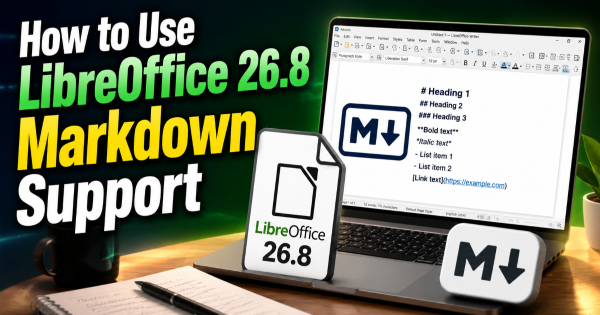
LibreOffice is a free, open-source office suite covering word processing, spreadsheets, presentations, drawing and related document tools. Version 26.8 became the current feature branch in August, adding changes such as Markdown import and export, document-layout improvements and better handling of different writing systems. Version 26.8.1 keeps that feature set intact and concentrates instead on defects found after the major release. The distinction matters because users expecting new tools will not find a second feature wave here; users who already moved to 26.8 get a set of targeted repairs.
Microsoft Office compatibility gets the largest share of attention
The most consequential fixes involve Office Open XML (OOXML), the family of document formats used by Microsoft Office, including DOCX for documents, XLSX for spreadsheets and PPTX for presentations. In Writer, the update fixes cases where table-of-contents hyperlinks in DOCX files could stop working until the table was refreshed, along with differences in text alignment and paragraph wrapping compared with Microsoft Word. Calc receives fixes for rotated drawing dimensions in XLSX files, database-range editing and a crash involving pivot tables with two data fields. These are not cosmetic corrections: they address situations where opening, editing or exchanging an Office document could change how the file behaved or appeared.
| Area | What 26.8.1 fixes | Why it matters |
|---|---|---|
| Writer | DOCX links, alignment and paragraph layout | Documents exchanged with Word are less likely to need manual repair |
| Calc | XLSX drawing dimensions, database ranges and pivot-table crashes | Spreadsheet editing becomes less fragile after import |
| Impress | Crashes when opening certain PPTX files | Problematic presentations have a better chance of opening normally |
| PDF export | Named hyperlink and unwanted-numbering issues | Exported documents better preserve the intended output |
| Text import | UTF-16BE, ISO Latin-1, Chinese and Japanese handling | Files from different systems are less likely to appear corrupted |
The table shows why counting the release as simply “40 bug fixes” undersells its practical effect. A single import bug can affect an entire document workflow when files arrive from another office suite or another operating system. The official 26.8.1 change list includes fixes for DOCX, XLSX, PPTX, PDF export, database operations and several character-encoding problems. Independent reporting also found that compatibility and import reliability account for a substantial portion of the update.
Text and CSV imports get fixes that are easy to miss
Some of the less visible changes may matter more to people handling data than to ordinary document users. CSV, or comma-separated values, files are plain-text tables commonly exchanged between spreadsheets, databases and business systems, but their character encoding can vary between applications. LibreOffice 26.8.1 fixes problems involving UTF-16 big-endian files, ISO Latin-1 input and cases where Chinese text could appear garbled in an import preview. Japanese text handling also receives fixes, reducing the chance that data looks correct in one program but becomes damaged or unreadable after being opened in another.
Impress fixes two crashes when opening PowerPoint files
Presentation compatibility receives a more direct reliability improvement. The release fixes crashes in Impress, LibreOffice's presentation application, when opening certain PPTX files containing unusual table-style definitions or specific comment-position data. A crash at file-open time is different from a formatting mismatch because it prevents the document from being inspected at all. For users who receive presentations from Microsoft Office users, these fixes can therefore remove a much harder failure mode than a misplaced font or altered paragraph spacing.
PDF export and database workflows also get targeted repairs
The maintenance work extends beyond Microsoft Office imports. One PDF export fix addresses named hyperlinks that could fail after export, while another prevents numbering from appearing in an exported PDF when that numbering was not visible in the source document. Calc also receives a fix for an error that could prevent users from editing a database range in an XLSX document. These changes show the broader role of a point release: the problems are spread across the path from opening a document to editing it and finally producing a file for someone else.
LibreOffice 26.8.1 keeps the major 26.8 changes intact
Because 26.8.1 is a maintenance release, users should not expect the interface or document model to suddenly change. The underlying 26.8 branch remains the one introduced in August, including Markdown support and improvements to typography, writing-system handling and document interoperability. The release branch itself was maintained separately from LibreOffice's development branch, with only changes considered safe enough for the stable 26.8.1 line being accepted there. That separation is useful context: the project is fixing the current stable branch while more disruptive development continues elsewhere.
Who should install LibreOffice 26.8.1 now
Anyone already running LibreOffice 26.8 and regularly exchanging documents with Microsoft Office has a concrete reason to move to 26.8.1, especially if their workflow involves DOCX, XLSX, PPTX, PDF export or imported CSV data. The same applies to users who have encountered crashes or formatting problems that appear only when a document comes from another application. The update is available for Windows, macOS and Linux, including Windows ARM64 and Apple Silicon builds. For users who rarely exchange documents and have a tightly controlled deployment, the change is less about new functionality and more about whether these specific fixes match problems they have actually seen.
The next test is whether these fixes survive real document exchange
The useful way to judge a maintenance release is not by the number of repaired bugs alone, but by whether the workflows affected by those bugs now behave correctly. Teams that depend on Office interoperability can test representative DOCX, XLSX and PPTX files rather than relying on a blank document, while data-heavy users can check their normal CSV imports with the encodings they actually receive. PDF export should be tested from a real document containing hyperlinks and numbering, because those are the conditions addressed by this release. LibreOffice 26.8.1 is available now, so the remaining question for an existing 26.8 installation is straightforward: whether the files that matter to your work are among the ones this maintenance release was built to fix.

Written by