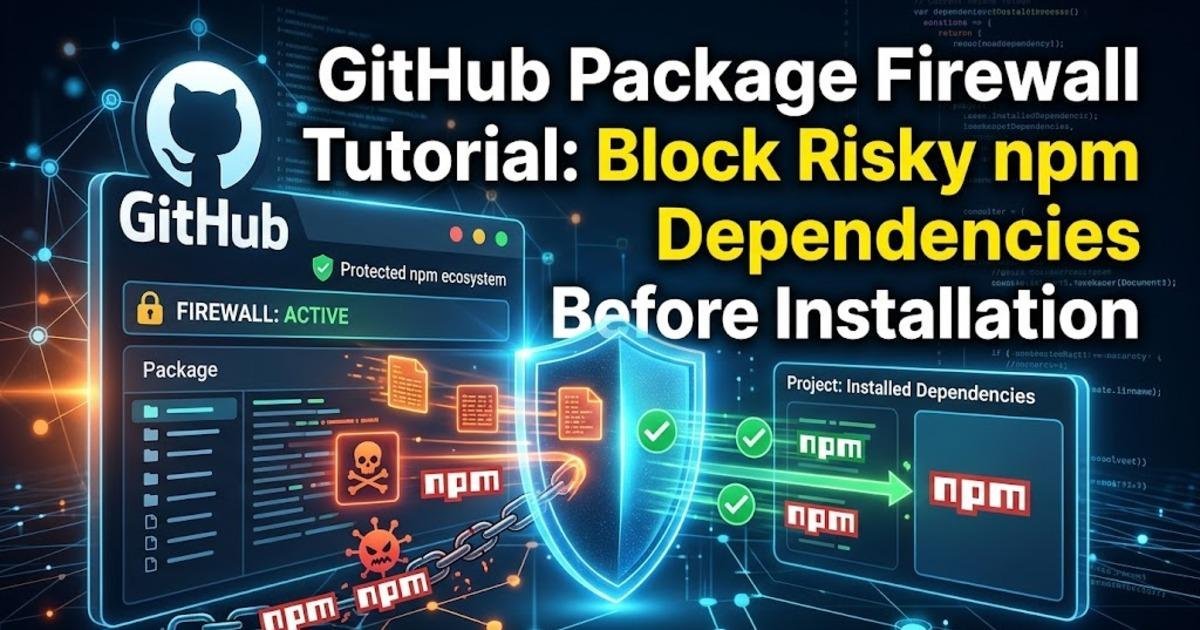
GitHub Package Firewall Tutorial: Block Risky npm Dependencies Before Installation
GitHub's package firewall entered public preview on October 20, 2026. Learn how its npm cooldown, malware advisory and attestation policies work, how to configure endpoints and how to test blocked dependencies safely.
On this page
A malicious JavaScript package can put a developer's credentials at risk before the application ever runs. On October 20, 2026, GitHub introduced its package firewall in public preview, adding a policy enforcement layer between development environments and package registries. The feature targets a gap that ordinary dependency alerts can miss: packages may execute installation scripts or attempt to steal secrets while a developer or continuous integration runner is installing them. Here is how the firewall works, what administrators can configure and what teams should test before relying on it.
GitHub's package firewall checks dependencies before they reach your project
JavaScript projects commonly download dependencies from the npm registry, a repository containing reusable packages. Package managers such as npm retrieve package metadata and archives when resolving an application's dependency tree. A malicious package can exploit this process through installation-time scripts or other behaviour that runs before the application is launched. If installation happens on a developer's workstation or a continuous integration and delivery (CI/CD) runner holding access tokens, the consequences can extend beyond the project itself.
GitHub's package firewall sits between these endpoints and upstream package registries. It evaluates package metadata requests and package downloads against enterprise policies, blocking requests that fail those checks. This differs from a dependency alert, which typically informs a team that a package already used by a project has been identified as vulnerable or malicious. A firewall can prevent a disallowed package from being downloaded through the configured route in the first place, reducing exposure during installation.
Understand the three policy checks before enabling the firewall
GitHub's public preview provides several controls for enterprise administrators. A configurable cooldown period can prevent a package version from being installed until it has been available for a specified amount of time. This creates an opportunity for suspicious releases to be identified before they enter a development environment, although a delay cannot guarantee that a package is safe once the waiting period expires.
The firewall can also check the GitHub Advisory Database for malware and vulnerability information. A package associated with a known malicious release or security advisory can be blocked according to the configured policy. Another control checks supply-chain attestations for downgrades, which can help identify cases where expected provenance or verification evidence has been weakened. An attestation is a statement about how software was built or where it came from; it is useful evidence, but its absence or validity must be interpreted according to the project's policy.
These checks address different risks. The cooldown rule introduces time for a new release to be examined, advisory checks use available threat intelligence, and attestation checks look for changes in software supply-chain evidence. None is a complete malware detector. Teams should select controls based on their tolerance for risk and the practical needs of their development workflow rather than assuming one setting can prevent every malicious package.
Check enterprise eligibility before attempting setup
The package firewall entered public preview for GitHub Enterprise Cloud customers, including customers using its data-residency offering. GitHub says the service is free during the preview period, with metered usage-based billing planned for general availability. The current preview supports npm packages only, so projects that depend on Python, Ruby, Java or other package ecosystems cannot assume their downloads will receive the same protection.
Before configuring the feature, confirm that your enterprise has access to the preview and that the relevant administrators can manage its policy controls. Identify which developer machines, automated build runners and coding-agent environments install npm dependencies. A firewall policy only helps the endpoints that actually send their package requests through it; leaving one runner pointed directly at the public registry creates a gap in coverage.
Configure the enterprise policy before redirecting package requests
Start in the enterprise's package firewall settings and choose the policies appropriate for your organisation. Set a cooldown period that balances the risk of a newly published package against the need to receive urgent fixes. Enable the available advisory and supply-chain checks, then document how developers should respond when an otherwise legitimate dependency is blocked. GitHub's official setup documentation should be used for the exact configuration fields and supported options, because public-preview features can change.
Next, configure each supported endpoint to use the firewall instead of contacting the upstream npm registry directly. This is a routing change, not merely a dashboard setting: package metadata requests and archive downloads must pass through the firewall for its rules to be applied. Begin with a test project or a limited group of runners so you can confirm that installation succeeds for approved packages and fails for packages that violate the policy.
For a controlled test, use a known package version that meets your organisation's rules and confirm that the package manager can install it through the configured route. Then test a deliberately disallowed version using a safe test policy, rather than downloading real malware. Record the response, inspect the firewall's available diagnostics and verify that the blocked request did not silently fall back to a direct registry connection. These checks establish whether the policy is being enforced, not whether the firewall can identify every possible malicious release.
Plan an exception process for legitimate packages that get blocked
Strict installation policies can interrupt legitimate development when a package is newly published, has incomplete provenance information or is incorrectly flagged. GitHub provides an exception-request workflow similar to other GitHub Advanced Security features. Teams should decide who reviews these requests, what evidence is required and how quickly urgent cases must be handled before rolling the firewall out broadly.
An exception should be a reviewed decision, not an automatic instruction to bypass the control whenever a build fails. Check the package's publisher, version history, provenance evidence and any relevant security advisories. If the package is needed for a production fix, consider whether an already approved version provides a safe temporary alternative. Keeping an audit trail of exceptions makes it easier to spot recurring problems and determine whether a policy is too strict or a dependency needs replacing.
Keep lockfiles and existing security checks in place
A package firewall complements dependency management; it does not replace it. A lockfile records the exact dependency versions selected for a project, helping developers and build systems reproduce the same dependency tree. Continue committing and reviewing lockfiles, updating vulnerable packages and running the security checks appropriate to your stack. The firewall adds a gate at download time, while these other controls help manage what the project depends on and what happens after code enters the repository.
There are also operational questions to measure during the preview. Compare installation times before and after routing requests through the firewall, monitor blocked requests and exceptions, and check whether all relevant endpoints are covered. GitHub has not established that the preview eliminates malicious-package risk or produces a particular reduction in incidents, so organisations should treat it as an additional control whose effectiveness depends on policy and configuration. The most useful early result is a verified record showing which installations are checked, which are blocked and where bypasses remain.
Decide whether the preview fits your organisation's npm workflow
The package firewall is most relevant to enterprises that run npm installs on machines with access to source code, deployment credentials or other sensitive resources. Teams using coding agents have an additional reason to examine it because automated tools may install dependencies while working with repository access and execution permissions. Smaller teams without GitHub Enterprise Cloud access cannot assume the preview is available to them, and organisations using other package ecosystems will need separate protections until support expands.
Before adopting it widely, verify enterprise eligibility, choose a realistic cooldown period, test advisory and attestation policies, and ensure that every intended endpoint uses the firewall. Then review exceptions and installation failures regularly. The feature's value will depend less on the existence of another security dashboard than on whether it consistently stands between untrusted package releases and the machines that install them.
Share this post
Written by