Dell CSM 1.18.0 Upgrade Tutorial for Critical Kubernetes Flaws
Dell's CSM 1.18.0 release addresses critical Kubernetes storage vulnerabilities. This tutorial shows how to inventory, upgrade, rotate secrets, and verify CSM safely.

On this page
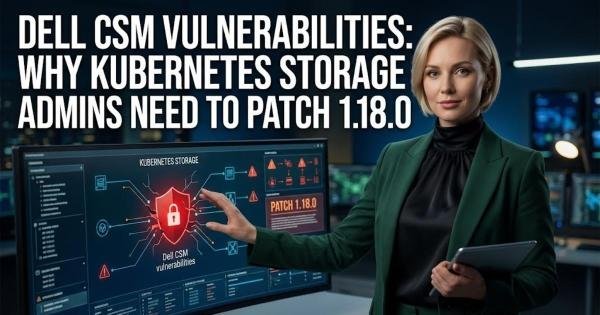
Dell published DSA-2026-448 on October 1, 2026, covering multiple critical vulnerabilities in Container Storage Modules (CSM), the software that connects Dell storage systems to Kubernetes. Two of the proprietary flaws carry a Dell-assigned CVSS score of 10.0, while another can let a low-privileged attacker reach root-level access on Kubernetes cluster nodes. Dell lists CSM 1.18.0 or later as the remediation and says there are no workarounds, making version inventory the first practical step for operators today.
Check whether your Kubernetes cluster runs an affected CSM release
Start with the Kubernetes cluster rather than the Dell storage array. CSM is deployed as Kubernetes components, including the CSM Operator, storage drivers, and optional modules such as Authorization, so a cluster can contain several versioned pieces that need to be reviewed. Dell's advisory says versions prior to CSM 1.17.0 are affected and identifies CSM 1.18.0 or later as remediated, while also warning that its affected-product table may not be comprehensive. That warning means an unlisted version should not automatically be treated as safe.
kubectl get pods -A -o wide kubectl get csm -A kubectl get crd | grep -i csmThe first command gives you the broad inventory, the second looks for Dell CSM custom resources, and the third confirms which CSM resource definitions are installed. A Kubernetes custom resource is an object that extends the cluster API with application-specific configuration; in CSM, these resources describe installed storage drivers and their versions. Record the namespaces, resource names, and current versions before changing anything so you can compare the cluster state after the upgrade.
Understand which CSM vulnerabilities you are fixing
The headline CVSS 10.0 findings are not the only reason to upgrade. CVE-2026-63688 affects the CSM Authorization storage gRPC server and, according to Dell, can expose administrator credentials for registered storage arrays to an unauthenticated remote attacker. CVE-2026-63692 affects the authorization proxy and tenant service and can allow an unauthenticated network attacker to bypass authentication controls and obtain administrative control of the authorization service. Both are rated 10.0 by Dell using the same network, low-complexity, no-privilege, no-user-interaction CVSS vector.
A separate flaw, CVE-2026-67269, affects the CSM Operator's custom-resource reconciler. Dell rates it 9.9 and says a low-privileged remote attacker could submit a crafted CSM custom resource and reach root-level access on cluster nodes. CVE-2026-67273 is another critical issue, rated 9.6, involving template processing and potentially allowing cluster-wide Kubernetes Secret reads and cluster-scoped role-based access control (RBAC) changes. These are different attack paths, so checking only the Authorization component is not enough.
| CVE | Component | Dell CVSS | Documented impact |
|---|---|---|---|
| CVE-2026-63688 | CSM Authorization | 10.0 | Unauthenticated access to storage administrator credentials and authorization bypass |
| CVE-2026-63692 | CSM Authorization | 10.0 | Authentication bypass and administrative control of authorization services |
| CVE-2026-67269 | CSM Operator | 9.9 | Privilege escalation to root on Kubernetes nodes |
| CVE-2026-54472 | CSM Authorization | 9.8 | Forged administrative tokens through hard-coded credentials |
| CVE-2026-67273 | CSM Operator | 9.6 | Secret disclosure and RBAC tampering |
Dell's advisory also includes vulnerabilities in third-party Go libraries, including golang.org/x/crypto and golang.org/x/net, alongside additional proprietary CSM issues. That makes a component-by-component patch attempt risky: the supported CSM release is the useful unit for remediation because it updates the collection of components together.
Back up the Kubernetes configuration before upgrading
Before changing CSM, save the current custom resources, secrets metadata, storage classes, and deployment state. The purpose is not to restore vulnerable binaries after a failed upgrade; it is to preserve the configuration required to recover the storage integration if the upgrade exposes an unrelated configuration problem. Pay particular attention to the CSM custom resources because Dell's documentation warns that manually replacing an original custom-resource manifest with a generic kubectl apply can overwrite important annotations and cause failures.
kubectl get csm -A -o yaml > csm-resources-before.yaml kubectl get storageclass -o yaml > storageclasses-before.yaml kubectl get csidriver -o yaml > csidrivers-before.yaml kubectl get secrets -A -o name | grep -i csm > csm-secrets-inventory.txtDo not export secret values into a ticket or public change log merely to prove that the backup exists. The inventory file above records secret object names rather than their contents. If your organization's backup process already protects Kubernetes secrets, use that process instead of creating additional plaintext copies on an administrator workstation.
Upgrade the CSM Operator through its supported path
The CSM Operator is the Kubernetes controller that manages Dell storage drivers and CSM modules. Dell supports upgrading it through Operator Lifecycle Manager (OLM) or through its installation script for installations that were not deployed with OLM. On OpenShift, an OLM installation can use automatic or manual approval; Dell recommends manual approval when administrators want to prevent an unqualified operator version from being installed automatically.
For a non-OLM installation, Dell documents the operator upgrade workflow around checking out the required operator release and running the installation script with the upgrade option. Do not copy an arbitrary operator tag from an older tutorial into a production cluster: the public operator releases and CSM releases use different version numbering, and the current security target is the CSM 1.18.0 release. Use the operator release that Dell's current compatibility information maps to CSM 1.18.0.
git clone -b cd csm-operator bash scripts/install.sh --upgrade The result to check is not simply a successful script exit. Confirm that the operator deployment is running the intended image, that its pods become ready, and that the CSM resources remain reconciled. An operator upgrade does not automatically mean every CSI driver has been upgraded; Dell explicitly documents that the operator and individual drivers have separate upgrade operations.
Move each CSM-managed driver to the 1.18 release
For clusters managed by the CSM Operator, Dell's current upgrade model allows CSI driver versions to be changed through the CSM custom resource. Starting with CSM 1.16, the spec.version field can control the driver image version, which removes the need for manually managing every image reference. Dell recommends modifying the existing resource rather than replacing it with a newly applied copy of the original installation manifest.
kubectl get csm -A kubectl edit csm -n Inside the existing resource, update the supported version field to the CSM 1.18 release used by your deployment. The exact resource name and namespace differ between storage platforms, so do not assume that a PowerMax, PowerStore, PowerFlex, PowerScale, or Unity XT installation uses the same object name. After saving the resource, the operator should reconcile the change and roll the affected driver components forward.
kubectl apply -f can overwrite annotations and cause upgrade failures. Edit the existing resource or follow the upgrade procedure for the exact storage driver you operate.If you installed a driver with Helm, upgrade that deployment separately
Helm is Kubernetes' package manager for applications and charts, and Dell supports Helm-based upgrades for several CSM storage drivers. The exact command depends on the storage platform and driver version, but Dell's documentation consistently uses the driver's existing values file together with its upgrade installer rather than replacing configuration with a generic command. Since CSM drivers are separate from the operator lifecycle, upgrading the operator alone does not prove that a Helm-managed driver has changed.
helm list -A kubectl get pods -A | grep -Ei 'csi|csm|authorization'Use the installed release list to identify which driver deployments are managed by Helm, then follow Dell's upgrade procedure for that specific storage platform. Dell notes that CSM deployments from version 1.12 onward use images from Quay rather than Docker Hub, so an old Helm configuration that still points to the discontinued image source can fail during an upgrade.
Rotate authentication secrets after patching
The version upgrade should be followed by credential review because DSA-2026-448 contains more than ordinary memory-safety or input-validation defects. Dell says CVE-2026-54472 involves hard-coded credentials that can allow an unauthenticated attacker to forge cryptographically valid administrative tokens, and it explicitly recommends immediately rotating JWT signing secrets. A JSON Web Token (JWT) is a signed credential used to carry claims between services, so rotating its signing secret invalidates tokens that depended on the compromised signing material.
There is a second historical issue worth checking if the environment ever used the archived karavi-authorization component. Dell's advisory says CVE-2026-61421 involved a hard-coded cryptographic key in that archived component and that organizations that deployed it from the affected configuration guidance without rotating the signing secret may remain exposed. If that component is still present anywhere in the estate, do not assume upgrading the current CSM stack automatically fixes an old independently deployed authorization service.
kubectl get pods -A | grep -Ei 'karavi|authorization' kubectl get deployments -A | grep -Ei 'karavi|authorization'If an affected signing secret was used, rotate it according to Dell's current CSM configuration procedure and then verify that the authorization components restart with the new value. Also review storage-backend administrator credentials that were exposed through an affected Authorization component. Patching closes the vulnerable code, but it cannot make a credential that may already have been disclosed secret again.
Verify that every CSM component actually moved
After the upgrade, check both the operator and the workloads it manages. A successful controller upgrade can leave an older CSI driver running if the custom resource was not updated, while a successful driver rollout can leave an older Authorization deployment untouched. The verification therefore needs to cover pods, custom resources, CSI drivers, and the images actually running in those pods.
kubectl get pods -A -o wide kubectl get csm -A -o yaml kubectl get csidriver kubectl get deployments -A -o wideFor each CSM workload, inspect the container image and compare it with the intended 1.18 release. Then check that all pods are ready and that Kubernetes is not repeatedly restarting them. A patch is not complete if one namespace still contains an old Authorization deployment or one storage platform still points to a vulnerable driver version.
Check RBAC and Kubernetes Secrets for unexpected changes
CVE-2026-67273 deserves a post-upgrade configuration review because Dell says successful exploitation could provide cluster-wide read access to Kubernetes Secrets and allow creation of cluster-scoped RBAC resources. Role-based access control determines which Kubernetes identities can perform which operations, while Secrets hold sensitive configuration such as credentials and tokens. If a vulnerable CSM Operator was exposed, checking only software versions leaves open the question of whether its permissions were abused before the upgrade.
kubectl get clusterrole,clusterrolebinding -o wide kubectl get role,rolebinding -A -o wide kubectl get events -A --sort-by=.lastTimestampCompare unexpected bindings, service accounts, and recent events with your deployment records. Look especially for changes that appeared while the vulnerable operator was installed and that cannot be explained by a normal CSM upgrade. This is an exposure check, not proof of compromise: the presence of a new binding requires investigation, while the absence of an obvious change does not establish that exploitation did not occur.
Do not treat CSM 1.17.x as automatically safe
There is an important versioning wrinkle in Dell's advisory. The affected-product table says versions prior to 1.17.0 are affected and 1.18.0 or later is remediated, leaving the status of 1.17.x unclear in the published table. Dell also says the affected-product table may not be comprehensive, so operators running 1.17.x should compare their exact component versions against the latest advisory and obtain clarification from Dell rather than assuming the gap means the release is safe.
This matters because CSM's component version numbers do not always match the top-level CSM release number. The public CSM Operator release history, for example, shows operator v1.12.0 and v1.12.1 carrying CSM 1.17 updates, illustrating why checking only the operator's version string can produce the wrong conclusion about the overall CSM release. The safe operational target remains CSM 1.18.0 or later as stated in Dell's current security advisory.
Finish the upgrade with a recovery test
Once every component reports the expected release, exercise the storage path rather than stopping at healthy Kubernetes pods. Confirm that existing persistent volumes remain attached, that new test volumes can be provisioned, and that the relevant CSI controller and node components continue reporting normally. Dell's CSM documentation treats driver upgrades as changes to live Kubernetes resources, so the final verification should cover the storage operation those resources are responsible for, not merely their process state.
Finally, record the pre-upgrade versions, target CSM 1.18 release, operator release, driver versions, secret-rotation status, and post-upgrade verification results. Dell's October 1 advisory lists no workaround or mitigation, so leaving an affected CSM deployment running while waiting for a later maintenance cycle is not equivalent to remediation. The immediate task for any affected cluster is to move to the supported fixed release, rotate applicable authentication material, and then verify that the Kubernetes storage plane still behaves normally under the new components.
Written by